
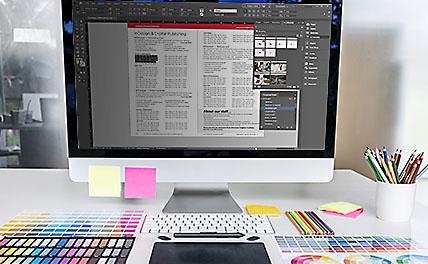


Reviews of InDesign Classes in Philadelphia

InDesign classes rating:
5 stars from 326 reviewers
"I'm absolutely thrilled to have learned InDesign. Michael really demystified the program, and I really enjoyed the way he presented the information to the group. This was my "jump into the deep end" effort to get up-to-date with technology in my field and thank you so much to Michael for making that possible! " - Kirby G
See all reviews for InDesign courses and classesAll InDesign classes include
 Free retakes
 Detailed curriculum
 Live instructor
 Flexible rescheduling
 Certificate of Completion
InDesign courses and InDesign training from
the authors of more than 10 InDesign books
including: InDesign Digital Classroom.
InDesign Classes in Philadelphia

About InDesign Classes in Philadelphia
American Graphics Institute has been delivering public and private Philadelphia InDesign Classes for more than a decade. We offer regularly scheduled public Philadelphia InDesign classes and private training. Our many clients include companies of all sizes, non-profit agencies, and educational institutions. AGI provides Philadelphia InDesign training to employees working in marketing, communications, design and a variety of business roles.
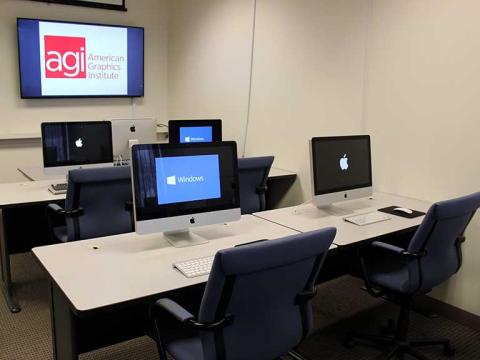
InDesign Courses in Philadelphia from expert instructors
American Graphics Institute’s live Philadelphia InDesign Classes are led by expert instructors from American Graphics Institute with extensive experience in Digital design.
The instructors in that lead our live Philadelphia InDesign Classes are experts on Digital design and InDesign. American Graphics Institute teachers are also available for private InDesign training which can be delivered on-site at your location or as a live online course.
InDesign Classes in Philadelphia
Philadelphia area InDesign training class location:
Our InDesign training classes in the Philadelphia area are held in our Conshohocken training center located at
101 West Elm Street
Conshohocken, PA 19428
(610) 228-0951
You can easily reach our classrooms from Center City Philadelphia by taking the R6 train, which is on the Norristown Line, to the Conshohocken station. Our classroom training center is less than a 5 minute walk from the station. Walk up to East Elm Street and make a left turn towards Fayette Street. Cross the street at the light onto West Elm Street. Our InDesign classes are held in the second building on the left, which is 101 West Elm Street.
AGI also offers private, onsite InDesign training in the Philadelphia area, which can occur at your office. For details call 610-228-0951 or complete a custom InDesign training request form.
InDesign Experts in Philadelphia
The InDesign courses are led by experts from AGI's instructional team. Our classes are led by professionals that average more than a decade of design and teaching experience. Our instructors have authored more than 10 books on InDesign and the Creative Cloud tools. Learn InDesign in Philadelphia from highly skilled professionals who help you to quickly become more productive.
Learn about InDesign education and training
Find out more about learning InDesign and related developments that impact professionals. Written by experts, you can discover why it's important to learn InDesign, the best options for learning, along with in-depth background information, as well as recent news and events.
Our team of InDesign experts has assembled a list of the Best InDesign Courses for 2023. This includes both online InDesign courses that you can access from anywhere, as well as in-person classes…

InDesign is a desktop publishing software application for creating flyers, brochures, magazines, newspapers, and books. Projects created using InDesign can be shared in both digital and print…

If you are working in marketing, design, or publishing, or looking to find a job in these fields, it’s important to learn InDesign. This is because Adobe InDesign is the most widely used tool for…

Learning InDesign is important for modern marketing professionals, visual designers and graphic designers. InDesign is a versatile digital publishing application used for creating printed and…

As the author of 10 books on InDesign, including the official Adobe InDesign certification preparation book, I’m often asked how to become certified in InDesign, or how to get InDesign…

The best ways to learn InDesign may vary from person to person based upon learning style, ability to travel, and availability to dedicate time to gaining a new skill. This comprehensive list of…
AGI's team of experienced instructors are led by Jennifer Smith the design and usability expert and best-selling author of more than 20 books including Creative Cloud for Dummies, Creative Suite for Dummies, and Photoshop Digital Classroom. Classes are led by experienced professionals who have extensive professional and training experience, and also work in our consulting practice areas and as practicing professionals. For Federal agencies, American Graphics Institute classes are offered under GSA contract 47QTCA19D003Y.