
Need help choosing the right InDesign courses and classes? Call us:
Boston: 781-376-6044
Philadelphia: 610-228-0951
Toll Free: 800-851-9237
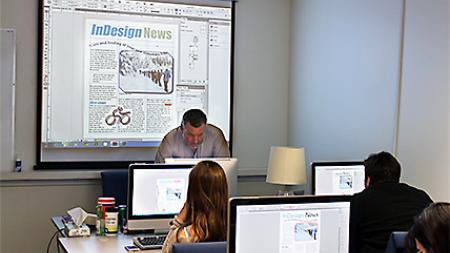
Hands-on InDesign classes and InDesign training using Mac or Windows computers with a live instructor in the same classroom.
Reviews of our InDesign classes

InDesign classes rating:
5 stars from 326 reviewers
"I'm absolutely thrilled to have learned InDesign. Michael really demystified the program, and I really enjoyed the way he presented the information to the group. This was my "jump into the deep end" effort to get up-to-date with technology in my field and thank you so much to Michael for making that possible! " - Kirby G
See all reviews for InDesign courses and classesAll InDesign classes include
 Free retakes
 Detailed curriculum
 Live instructor
 Flexible rescheduling
 Certificate of Completion
InDesign courses and InDesign training from
the authors of more than 10 InDesign books
including: InDesign Digital Classroom.
Additional InDesign Training Resources
Determining the best InDesign course
For help deciding which InDesign course to take or how to best learn InDesign, contact us for guidance in selecting the best InDesign course for your needs, or take our free online InDesign skills assessment.
What you'll learn with InDesign courses
Participants in Adobe InDesign classes learn skills for designing digital and print layouts, with InDesign courses for beginners through experienced users. Learn InDesign for creating flyers, brochures, magazines, newsletters, books, catalogs and newspapers.
Beginner InDesign Courses
In beginner InDesign courses participants learn to create page layouts of various sizes and for online and print use. Learn the essentials for importing text and graphics into a layout, and precisely controlling their position using InDesign’s many capabilities to control and organize content. Participants learn the basics of InDesign layers, master pages, and styles for working efficiently and keeping documents professional and consistent. Participants also learn to print and generate PDF files.
Intermediate InDesign Courses
In the intermediate InDesign classes, learn to work with tables, more advanced styles and layers, as well as advanced options when importing files and creating tables. More advanced color options, and integration with Photoshop and Illustrator are also covered. The ability to create a consistent set of printing and PDF rules is also a part of the intermediate InDesign course.
Advanced InDesign Courses
The advanced InDesign courses teach advanced layout techniques, advanced use of master pages, advanced find and change capabilities, and the advanced use of color, printing, exporting, data merge, and interactive document creation. Class participants learn to create interactive InDesign documents including adding audio, video, and multiple digital distribution options.
Corporate InDesign Training
If your company, group, or organization are looking to learn InDesign, AGI offers custom classes that can be tailored for your group or organization. The course content and curriculum are tailored specifically to the needs of your organization, and can include content from any level of the InDesign courses, or materials developed specifically for your group.
Private InDesign Courses
If you are looking for a private InDesign course for yourself or your group, any InDesign class can be delivered as a private InDesign course for an individual or group. Complete the contact form for private InDesign training or call 781-376-6044 to schedule a private InDesign course for you or your group.
You can learn more about the best InDesign classes to meet your learning objectives and budget.
InDesign CC Training
InDesign classes provide training for InDesign CC (Creative Cloud), covering the latest version. InDesign CC courses are also applicable for many versions including InDesign CC 2018, InDesign CC 2015, InDesign CC, and InDesign CS6.
InDesign Courses GSA
American Graphics Institute offers InDesign Classes under GSA contract 47QTCA19D003Y. As a GSA contract holder, InDesign training GSA pricing for federal agencies is available for both private and public InDesign workshops and courses. Contact an American Graphics Institute representative for additional information or to register.
Night and Weekend InDesign Courses
In addition to our many weekday classes, American Graphics Institute also offers weekend and night InDesign courses. These options are listed within the course schedules listed above, or contact AGI for upcoming night and weekend dates.
InDesign Courses Near Me
You can find InDesign classes near you with live InDesign courses nearby, as well as live online InDesign classes you can join from your home or office. AGI also offers instructors that come to your location, making it easy to schedule InDesign training near you. With InDesign training available in many cities, various options for training, classes, and workshops, AGI helps you to choose the best options for learning InDesign that meets your location, schedule, learning preference, and budget while receiving training near you.
The benefits of learning InDesign
It is useful to learn InDesign because it is the standard software tool used by graphic designers, marketing professionals, and those working in communications and design roles. InDesign is the professional tool for creating flyers, brochures, magazines, books, marketing collateral, and any type of layout for print or digital distribution. You should learn InDesign if you need to create professional documents including:
Books
Advertisements
Magazines
Brochures
Flyers
Newsletters
Marketing Collateral
Newspapers
InDesign is used to create professional print and digital designs and can be used and purchased on its own or it can be integrated with Photoshop and Illustrator, which are available as part of the Adobe Creative Cloud. Learn about how InDesign training helps you.
Learn InDesign for a New Career
Learning InDesign can serve as a starting point for a design career, although InDesign skills are only one part of what is needed for a career. Design careers require a well rounded set of skills including an understanding of graphic design principles along with related Creative Cloud skills such as Photoshop and Illustrator. Marketing and communications roles that use InDesign will also require skills in communications and analytics as well.
Careers that use InDesign
There are many jobs and careers that use InDesign including:
Graphic Designer
Graphic Artist
Multimedia Designer
Visual Designer
Marketing Manager
Communications Manager
Public Relations Professional
Book Designer
Catalog Designer
Social Media Manager
Because InDesign is used for graphic design, corporate communications, and marketing documents, it is used across a wide variety of professions, industries, and roles. You can read more regarding what is InDesign.
Become a Graphic Designer by learning InDesign
Learning InDesign is one of the skills needed to become a graphic designer. A graphic designer uses InDesign to produce posters, bus wraps, billboards, pamphlets, advertisements, window displays, menus, advertisements, and a range of content that is distributed visually.
Graphic designers also are charged with preparing ideas, refining them through the editing process, and presenting them to clients and colleagues. Because the graphic design process is iterative and often collaborative, InDesign skills need to be combined with skills in communication, team work, and collaboration.
Graphic designers that use InDesign are more than just visual storytellers, as they need to achieve the objectives of clients who are often looking to communicate, brand, and sell. A successful graphic designer ensures a client’s vision is incorporated and that the client goals are met.
The average salary for a graphic designer is between $45,000 per year and $49,000 per year based upon information from indeed.com and glassdoor.com.
Along with learning InDesign, AGI also offers a dedicated graphic design fundamentals course to learn foundational skills for making all of your designs look great, or you can learn more about becoming a graphic designer.
About InDesign
Adobe InDesign is a professional level desktop publishing tool used for creating flyers, brochures, magazines, newspapers, and books. Documents created with InDesign can be shared in digital and print formats. Learn more about Adobe InDesign by reading the detailed article What is InDesign.
InDesign for High School Students
Adobe InDesign is great for high school students to learn, especially for those interested in pursuing studies or a career in graphic design or visual design. The graphic design programs for high school students provide an opportunity for high school students to learn InDesign and other related skills.
InDesign Courses FAQ
Because there are many options for learning InDesign you may have questions. We have assembled a list of InDesign course FAQ here along with answers:
Can you teach yourself InDesign
While you can teach yourself InDesign using InDesign tutorials and InDesign books, the fastest way to learn InDesign is through InDesign courses. For more details read the best ways to learn InDesign.
How do I become certified in InDesign
You can become certified in InDesign through the independent InDesign certification exam available from your home or office, or through the Adobe Certified Expert exam program which requires you to visit a testing center. For complete details see how to become InDesign certified.
How long are InDesign courses and training
InDesign courses are typically two-days for those gaining essential skills to use the program comfortably. An entire course of study to become an advanced user requires an additional four days of training to complete a series of three InDesign classes: introduction, intermediate, and advanced, or can be achieved with one or more years of using InDesign.
Are online InDesign courses better than in-person InDesign classes
The live online InDesign classes are led by the same instructors that lead in-person InDesign courses. The online class format allows participants to join into a live class that they might not be able to otherwise attend due to distance or travel time and cost.
If I’ve used InDesign before, do I still need an introductory course?
The introductory InDesign course is the best place for those with no formal training to start their learning. The introduction to InDesign class provides a solid foundation in the core skills necessary for using InDesign efficiently including styles, master pages, layers, and overall document construction.
When can I take InDesign classes
Live Adobe InDesign classes are available monthly, with classes enrolling every 30 days for both live online and live in-person InDesign courses.
Will learning InDesign help me get a job
InDesign is a good foundational skill for gaining work in a design, communications, or marketing role. InDesign is one of many skills that is required for most roles, and should be learned as part of the range of skills that are necessary to get a job in the fields of graphic design, marketing, or communications.
How much do InDesign courses cost
InDesign training costs between $495 and $695 for most introductory courses led by a live instructor at a credible school such as American Graphics Institute.
Keep up to date with InDesign news and information.
Recent InDesign courses and classes Training News
Our team of InDesign experts has assembled a list of the Best InDesign Courses for 2023. This includes both online InDesign courses that you can access from anywhere, as well as in-person classes available in a classroom, as well as free InDesign tutorials. The courses include live classes, with…

InDesign is a desktop publishing software application for creating flyers, brochures, magazines, newspapers, and books. Projects created using InDesign can be shared in both digital and print formats. InDesign is used by graphic designers, artists, publishers, and marketing professionals. It is…

If you are working in marketing, design, or publishing, or looking to find a job in these fields, it’s important to learn InDesign. This is because Adobe InDesign is the most widely used tool for creating brochures, flyers, marketing materials. It is also used by most newspapers, book, and…

Learning InDesign is important for modern marketing professionals, visual designers and graphic designers. InDesign is a versatile digital publishing application used for creating printed and digital content including flyers, brochures, books, magazines, newspapers, and posters. It is used by…

As the author of 10 books on InDesign, including the official Adobe InDesign certification preparation book, I’m often asked how to become certified in InDesign, or how to get InDesign certification. There are several options for getting certified in InDesign. All of the options to become…
The best ways to learn InDesign may vary from person to person based upon learning style, ability to travel, and availability to dedicate time to gaining a new skill. This comprehensive list of best ways for learning InDesign includes options that meet the various needs of learners and includes…
AGI's team of experienced instructors are also the best-selling authors of more than 20 books including Creative Cloud for Dummies, Creative Suite for Dummies, and many books published by Adobe Press, Microsoft Press, and other major publishers. Learn from experienced professionals with extensive professional and training experience, who are also practicing professionals. For Federal agencies, American Graphics Institute classes are offered under GSA contract 47QTCA19D003Y.