

Adobe Connect training class
Adobe Connect class
In this instructor-led Adobe Connect training, you learn how to create Adobe Connect presentations and host Adobe Connect meetings. This course covers recording and editing slide narration, publishing locally and to an Acrobat Connect server, and adding quizzes, animations, links, files, Flash, and video content to a presentation. Once the presentation has been created, this Adobe Connect training course provides the skills necessary to create and manage a live Adobe Acrobat Connect Internet meeting. The course also covers how to create and manage training courses using Adobe Connect. This class is available in Boston and Philadelphia area classrooms. This class is also available at your location. Contact AGI about this Acrobat training class.
Ways to attend this Adobe Connect course
- Live online from your office or home on regularly scheduled dates
- Live in-person at AGI’s classroom locations on regularly scheduled dates
- Private or custom Adobe Connect course either online or in-person on dates you select. Contact us for details
Why Adobe Connect classes at AGI are the best option for you
- Hands-on learning: Learn Adobe Connect quickly with our proven teaching methods.
- Exceptional curriculum: AGI has delivered Adobe Connect training to thousands over 25 years.
- Expert instructors: Our instructors are Adobe Connect experts and skilled educators.
- Small class sizes: Receive personalized attention with 10 or fewer participants per class.
- Repeat for Free: If you need a refresher or miss a class day, retake the Adobe Connect class at no cost.
Ways to attend this Adobe Connect Course
- Live, in-person regularly scheduled Adobe Connect classes in Boston or Philadelphia with a live instructor in the same classroom.
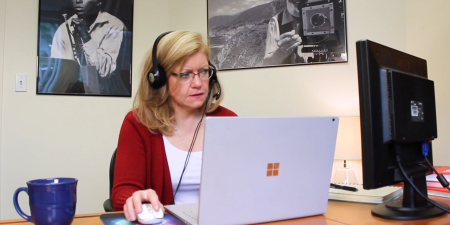
- Live Online classes from your office or home as a regularly scheduled small group class.
- Private training customized to your specific needs delivered in-person or online. Call 781-376-6044 or complete the Private Adobe Connect Training form for more information.
All Adobe Connect classes include
 Free retake
 Detailed curriculum
 Live instructor
 Flexible rescheduling
 Certificate of Completion
 Small class sizes
 Course recording
Adobe Acrobat Connect training class topics covered
- Introducing Adobe Connect
- Adding audio to presentations using Adobe Connect
- Adding animations, links, and files using Adobe Connect
- Customizing Adobe Connect presentations
- Publishing Adobe Connect presentations
- Sharing static text and images in Adobe Connect
- Using a whiteboard in Adobe Connect
- Managing the Adobe Connect meeting library
- Using Audio and Video in Adobe Connect
- Managing text messages and questions in Adobe Connect
- Sharing files, polls, and web links in Adobe Connect
- Recording Adobe Connect meetings
Please call 800-851-9237 or 781-376-6044 to schedule a course.
- Introducing Adobe Connect
- Adding audio to presentations using Adobe Connect
- Recording slide narration
- Editing and importing audio
- Adding animations, links, and files using Adobe Connect
- Customizing Adobe Connect presentations
- Setting slide navigation names
- Adding presenter information
- Adding slide videos
- Changing the presentation theme
- Creating custom themes
- Publishing Adobe Connect presentations
- Publishing locally
- Setting presentation properties
- Packaging a presentation for distribution
- Publishing to a Acrobat Connect server
- Updating a Acrobat Connect presentation on the server
- Adding interactive content using Adobe Connect
- Adding quizzes using Adobe Connect
- Creating and managing an Adobe Connect Meeting Room
- Sharing presentations and quizzes in Adobe Connect
- Sharing static text and images in Adobe Connect
- Maximizing pod contents in Adobe Connect
- Using a whiteboard in Adobe Connect
- Screen sharing in Adobe Connect
- Controlling the screen share view as a participant
- Sharing one or more applications
- Pausing and annotating
- Previewing your screen share
- Granting remote control of applications
- Sharing Flash content in Adobe Connect
- Managing the Connect meeting library
- Using audio and video in Adobe Connect
- Broadcasting presenter audio
- Using voice over IP (VOIP) for conversations
- Broadcasting presenter video
- Managing text messages and questions in Adobe Connect
- Sending text messages
- Moderating chat
- Sharing files, polls, and web links in Adobe Connect
- Opening web pages in attendee browsers
- Recording Adobe Connect meetings
- Locating and playing meeting archive
- Searching and managing meeting archives
- Understanding archive storage requirement
Custom and private Adobe Connect classes
This Adobe Connect course is available as a private class. Curriculum can be customized for your specific needs. Adobe Connect classes can be delivered at your location, online, or in our classrooms. For more information, call 781-376-6044 to speak with a training consultant or contact us.
Adobe Connect Training Class Prerequisites
We recommend that you have the Adobe Connect software before starting the class. You can purchase the software or obtain a trial version of it from the Adobe web site.
Adobe Connect Training Class Course Materials
You will receive a comprehensive course manual for this class developed by the Adobe experts at AGI. AGI instructors have created many of the official training guides and books for Adobe Systems
This custom Adobe Acrobat training class is available at any of our training facilities in New York, Boston (Woburn), Chicago, Philadelphia (Conshohocken), Orlando, London, Online, or at your location.
Call (800) 851-9237 to schedule.