
Design courses, video editing classes, UX classes & digital marketing training
Regularly scheduled courses for individuals and private classes for groups
- Delivering training classes since 1995
- Expert instructor in the same classroom with you
- Small class sizes: average class size is six, with a maximum of 10
- Hands-on learning: we supply your choice of a Mac or Windows PC
- Instructors are the authors of Dummies and Digital Classroom books
Why take courses with AGI
Live instructor: Get your questions answered right away.
Proven curriculum: Our curriculum and process has been proven over 30 years delivering training to more than 50,000 people.
Project based learning: Learn by doing as you work on projects as part of our training.
Receive a Certificate: Receive a verified certificate that you can share on LinkedIn.

Choose from the following certificate programs


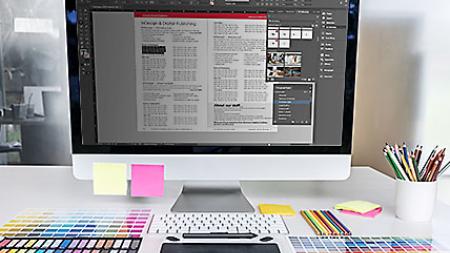














All Classes
What AGI has to offer
American Graphics Institute offers more than 100 regularly scheduled public courses and many more as private or customized classes. Search our courses or call 781-376-6044 to speak with a representative.
Training Class Information
Most regularly scheduled classroom training sessions start at 10:00 a.m. and end at 5:00 p.m. with one hour provided for lunch at approximately noon each day. Your class confirmation will list exact times, or call a training consultant at 781-376-6044 if you have questions about the class schedule.
Custom Classes & Private Training
AGI offers custom classes and private training to accommodate your schedule, address specific training topics, or train a group from your business or organization. Training can occur at your location or at our classroom training centers. For private training and custom classes, the location and times are customized to meet your specific needs. AGI can also provide a portable classroom of laptop computers for your group, if requested.
What to Bring
If you are taking a class at one of AGI's classroom training centers:
Computers: AG's classroom training centers are equipped with computers running Mac OS and Windows operating systems, ready for your use and loaded with the applications used in the class. Let us know your preference at the time your register, and we'll have a system ready for you to use when you arrive for your training class. If you wish to use your own computer, please arrive 30 minutes before class to load lesson files, and let us know this at the time you register.
Dress: Our classrooms are business casual. Dress comfortably. If you tend to be cold, you may wish to bring a sweater, sweatshirt, or light jacket.
Books and Curriculum: AGI provides curriculum with all of our classes. Many of our classes use the Digital Classroom Books written by our instructors.
Discounted Training for Groups or Multiple Courses
If you or your organization is considering multiple classes, consider our training passes or training vouchers.