Apple Keynote Training Classes

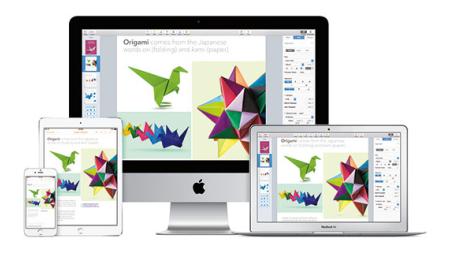
AGI offers regularly scheduled Apple Keynote training classes along with private and customized Keynote training programs.We offer regularly scheduled Keynote training in Boston, Philadelphia, New York City, online and on-site at your location. Benefit from our experience, as our expert instructors have delivered Keynote training to thousands of users over the years. We make it easy to learn Apple Keynote to create great presentations for delivery using iPads and MacBooks, whether in-person or online. Discover how to create great Keynote presentations with impact. Review our Apple Keynote training details below, use our contact form to contact us, or call to speak with a Keynote training consultant: 781-376-6044.

see dates for this class contact us about this class

Apple Keynote Training Class

see dates for this class contact us about this class

Apple Keynote Training Class

In this Keynote course, discover how to create polished, professional, engaging presentations. Text, photos, charts, sound, even video & animation, are all elements you learn to incorporate in a Keynote class that also teaches you to generate your materials efficiently and deliver the information with confidence. You also find out how to publish your finished presentation to a variety of destinations including PDF, YouTube, and DVD.

Private or custom Apple Keynote Training

AGI offers Apple Keynote training classes in our training centers or at your location. Whether you need introductory or advanced Apple Keynote training, our expert instructors will have you quickly creating exceptional presentations:

  • Contact AGI to learn more about our Apple Keynote training classes. Contact Form
  • Contact AGI to arrange a private Apple Keynote training class. Private Training Request Form
  • Call AGI at (800) 851-9237 or (781) 376-6044 to talk with a representative about our Apple Keynote training courses


Additional Apple Keynote Training Resources

Apple Keynote is included in iWork

Apple Keynote

You can purchase the Apple Keynote software or obtain a trial version of it at from the Apple web site.


see dates for this class contact us about this class

Apple Keynote Training Class

Apple Keynote Class Length: 1 day

This Keynote training class shows you how to create visually stimulating presentations using Apple’s Keynote Presentation software. Get yourself started and see immediate results with this one-day hands-on course. You will be able to import graphics, create type, use master pages, choose page transitions, and animate items within the presentation. Our Instructors can show you how to produce your own presentation in less time, and to many different file formats. Learn how to use these powerful yet easy-to-use tools and create dazzling effects that you can put in your own slideshow. Use our Contact form to contact us or call 800-851-9237 to learn more about this Apple Keynote training class.

Apple Keynote Training Class Course Dates

Datesort descending Location Price Register
May 23 2013 - 9:30am to 4:30pm
Online Training $295

Register

Jun 14 2013 - 9:30am to 4:30pm
AGI Training Boston $295

Register

Jun 19 2013 - 9:30am to 4:30pm
Online Training $295

Register

Jun 21 2013 - 9:30am to 4:30pm
AGI Training Philadelphia $295

Register

Jul 19 2013 - 9:30am to 4:30pm
AGI Training Boston $295

Register

Jul 19 2013 - 9:30am to 4:30pm
AGI Training Philadelphia $295

Register

Jul 19 2013 - 9:30am to 4:30pm
Online Training $295

Register

Aug 23 2013 - 9:30am to 4:30pm
AGI Training Boston $295

Register

Aug 23 2013 - 9:30am to 4:30pm
AGI Training Philadelphia $295

Register

Aug 23 2013 - 9:30am to 4:30pm
Online Training $295

Register

Apple Keynote Training Class Course Topics

Module 1: Creating a presentation

  • Opening Apple Keynote
  • Choosing a theme and slide size in Keynote
  • Selecting a master slide
  • Outlining a presentation in Keynote
  • Pasting text into an outline
  • Formatting text in Keynote
  • Customizing a slide layout
  • Adding a table in Keynote
  • Calculating the value of table cells
  • Fixing spelling errors

Module 2: Adding photos, charts and sound

  • Adding imagery to your Keynote presentation
  • Enhancing photos in Keynote
  • Customizing photo layouts
  • Making part of a photo transparent
  • Adding hyperlinks and navigation
  • Adding a chart
  • Adding audio to a Keynote presentation
  • Adding a global transition in Keynote
  • Reducing the file size of your Keynote presentation
  • Saving media with your Keynote presentation

Module 3: Adding Video and Animation to your Keynote presentation

  • Creating builds to reveal text in your Keynote presentation
  • Revealing a Table in Keynote
  • Creating interleaved builds in Keynote
  • Revealing graphics and charts in Keynote
  • Creating a Smart Build
  • Creating custom animations into your Keynote presentation
  • Adding sound to a build
  • Creating transitions between slides
  • Creating 2D and 3D transitions in Keynote
  • Creating object effects transitions
  • Using text effects transitions
  • Using Magic Move
  • Using video in a slideshow in Keynote
  • Configuring preferences for smooth playback
  • Running your Keynote presentation
  • Pausing and resuming a slideshow in Keynote
  • Troubleshooting your Keynote presentation

Module 4: Creating a custom theme

  • Creating an themes in Keynote
  • Creating a title slide for your Keynote presentation
  • Creating a Photo Master
  • Saving and sharing themes in Keynote
  • Applying a custom theme to your Keynote presentation

Module 5: Importing from PowerPoint and working with Charts

  • Importing a PowerPoint presentation in Keynote
  • Animating a title slide in Keynote
  • Creating and enhancing charts in your Keynote presentation
  • Animating a table in Keynote
  • Adding content from a MSWord document into your Keynote presentation
  • Saving a PowerPoint or PDF File from Keynote

Module 6: Rehearsing and delivering your presentation

  • Reviewing a presentation with Light Table View
  • Adding comments to a Keynote presentation
  • Working with presenter notes in Keynote
  • Indexing your presentation with spotlight
  • Rehearsing your presentation
  • Giving your keynote presentation with a portable computer
  • Using an iPhone or iPod as a remote control
  • Creating a self-running slideshow
  • Running a presentation as a kiosk

Module 7: Publishing your presentation

  • Exporting a PDF
  • Printing handouts
  • Exporting a PDF
  • Exporting to PowerPoint
  • Exporting Images
  • Making a movie: Exporting to QuickTime
  • Exporting to iPod
  • Exporting to HTML
  • Sending to iWeb
  • Sending to YouTube
  • Sharing a presentation with iWork.com
  • Sharing a presentation with iChat Theater
  • Making a DVD: Exporting to iDVD
  • Exporting a presentation for editing in Final Cut Pro
  • New Font rendering choices


Apple Keynote Class Prerequisites

We recommend that you have the Keynote software before starting the class. You can purchase the software or obtain a trial version of it at from the Apple website.

Apple Keynote Class Course Materials

You will receive a comprehensive course manual for this class developed by the Certified Instructors at AGI.

This open enrollment Apple Keynote Training Class is offered in Boston (Woburn), Philadelphia (Conshohocken), and Online.

AVAILABLE DELIVERY METHODS FOR THIS CLASS

Classroom Training Icon Live Online Icon Private Training Icon My Location Icon On-Demand Training Icon
CLASSROOM LIVE ONLINE PRIVATE MY LOCATION ON-DEMAND


Questions about Keynote Training Classes? Interested in private or customized Keynote Training Classes? Call to speak with a training consultant: 781-376-6044.

AGI's team of experienced instructors are led by the design and usability expert and best-selling author of more than 20 books including Creative Cloud for Dummies, Creative Suite for Dummies, and Photoshop Digital Classroom. Classes are led by experienced professionals who have extensive professional and training experience.