
Need help choosing the right Final Cut Pro training classes? Call us:
Boston: 781-376-6044
Philadelphia: 610-228-0951
Toll Free: 800-851-9237
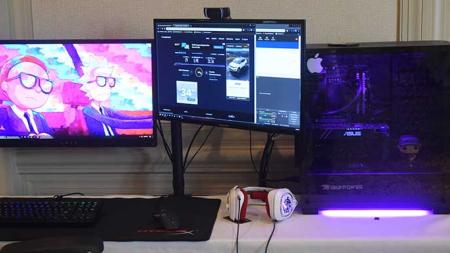
Hands-on Final Cut Pro classes and Final Cut Pro training using Mac or Windows computers with a live instructor in the same classroom.
Reviews of our Final Cut Pro classes

Final Cut Pro classes rating:
5 stars from 55 reviewers
"Final Cut training with Roberto was amazing. I have taken many online and in house training courses and I can honestly say he was the best instructor I have had. He was patient and clear and went over the material until we understood and felt comfortable. I am looking forward to taking more classes with him at AGI." - RENEE D
See all reviews for Final Cut Pro training classesAll Final Cut Pro classes include
 Free retakes
 Detailed curriculum
 Live instructor
 Flexible rescheduling
 Certificate of Completion
Final Cut Pro Training Classes GSA
American Graphics Institute offers Final Cut Pro Classes under GSA contract 47QTCA19D003Y. As a GSA contract holder, Final Cut Pro training GSA pricing for federal agencies is available for both private and public Final Cut workshops. Contact an American Graphics Institute representative for additional information or to register.
Keep up to date with Final Cut Pro training news and information.
Recent Final Cut Pro training classes Training News

It's not uncommon to see a version of Apple's Final Cut Pro software installed on the computer of an aspiring filmmaker or freelance video editor. However, the next Steven Spielberg or Quentin Tarantino is not the only individual who can benefit from taking…

Learning Final Cut Pro is useful for anyone using a Mac who needs to create high quality video. Options to learn Final Cut Pro include public classes, private training, online training and books. The best ways for learning Final Cut pro depend upon the timeframe available for learning, whether…

Many entry editors wonder whether they should learn Premiere Pro, Final Cut Pro or Avid for video editing. Existing video editors who have worked with Avid’s suite of video editing tools may wonder if they should also broaden their skills by taking a …
The video editing software application Final Cut Pro is widely used for creating and editing movies and videos. Final Cut Pro training helps professionals to make the most of the latest generation of Final Cut Pro, including adjusting colors, creating clips from different camera shots, connect…
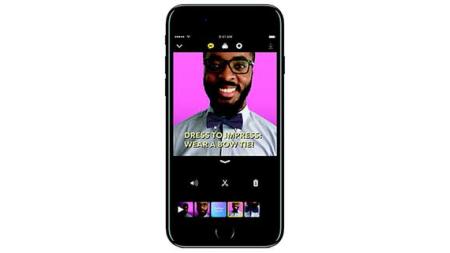
Apple is providing a video editing alternative to Final Cut Pro for iOS users. With an ever increasing amount of video being created on its mobile devices, Apple has been feeling left-out of the mobile video editing and sharing process. In order for Apple to play an increased role with video…

This July Gannett purchased several daily newspapers and websites in New Jersey including The Bergen Record and the Herald News along with 50 weekly community newspapers known collectively as the North Jersey Media Group. Two months later Gannett is making big cuts to these newspapers staffing…
AGI's team of experienced instructors are also the best-selling authors of more than 20 books including Creative Cloud for Dummies, Creative Suite for Dummies, and many books published by Adobe Press, Microsoft Press, and other major publishers. Learn from experienced professionals with extensive professional and training experience, who are also practicing professionals. For Federal agencies, American Graphics Institute classes are offered under GSA contract 47QTCA19D003Y.