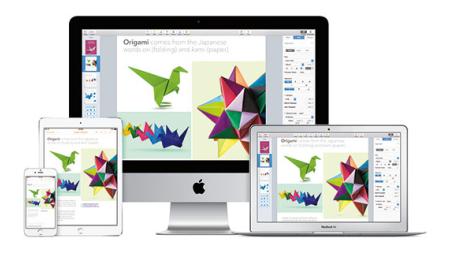
Apple Keynote
Training Classes
AGI offers open enrollment and custom Apple Keynote training classes.The course you see listed are available at Boston, Philadelphia and Online or can also be taught at your location. AGI offers several ways to learn Apple Keynote.
Apple Keynote Training Class
- Module 1: Creating a Presentation
- Opening Apple Keynote
- Choosing a Theme and Slide Size in Keynote
- Selecting a Master Slide
- Outlining a Presentation in Keynote
- Pasting Text into an Outline
- Formatting Text in Keynote
- Customizing a Slide Layout
- Adding a Table in Keynote
- Calculating the Value of Table Cells
- Fixing Spelling Errors
- Module 2: Adding Photos, Charts and Sound
- Adding imagery to your Keynote presentation
- Enhancing photos in Keynote
- Customizing photo layouts
- Making part of a photo transparent
- Adding hyperlinks and navigation
- Adding a chart
- Adding audio to a Keynote presentation
- Adding a global transition in Keynote
- Reducing the file size of your Keynote presentation
- Saving media with your Keynote presentation
- Module 3: Adding Video and Animation to your Keynote presentation
- Creating builds to reveal text in your Keynote presentation
- Revealing a Table in Keynote
- Creating interleaved builds in Keynote
- Revealing graphics and charts in Keynote
- Creating a Smart Build
- Creating custom animations into your Keynote presentation
- Adding sound to a build
- Creating transitions between slides
- Creating 2D and 3D transitions in Keynote
- Creating object effects transitions
- Using text effects transitions
- Using Magic Move
- Using video in a slideshow in Keynote
- Configuring preferences for smooth playback
- Running your Keynote presentation
- Pausing and resuming a slideshow in Keynote
- Troubleshooting your Keynote presentation
- Module 4: Creating a Custom Theme
- Creating an themes in Keynote
- Creating a title slide for your Keynote presentation
- Creating a Photo Master
- Saving and sharing themes in Keynote
- Applying a custom theme to your Keynote presentation
- Module 5: Importing from PowerPoint and Working with Charts
- Importing a PowerPoint presentation in Keynote
- Animating a title slide in Keynote
- Creating and enhancing charts in your Keynote presentation
- Animating a table in Keynote
- Adding content from a MSWord document into your Keynote presentation
- Saving a PowerPoint or PDF File from Keynote
- Module 6: Rehearsing and Delivering Your Presentation
- Reviewing a presentation with Light Table View
- Adding comments to a Keynote presentation
- Working with Presenter Notes in Keynote
- Indexing your presentation with spotlight
- Rehearsing your presentation
- Giving your keynote presentation with a portable computer
- Using an iPhone or iPod as a Remote Control
- Creating a Self-Running Slideshow
- Running a Presentation as a Kiosk
- Module 7: Publishing Your Presentation
- Printing Handouts
- Exporting to PDF
- Exporting to PowerPoint
- Exporting Images
- Making a Movie: Exporting to QuickTime
- Exporting to iPod
- Exporting to HTML
- Sending to iWeb
- Sending to YouTube
- Sharing a Presentation with iWork.com
- Sharing a Presentation with iChat Theater
- Making a DVD: Exporting to iDVD
- Exporting a Presentation for Editing in Final Cut Pro
Apple Keynote Training Class Topics Covered
Apple Keynote Class Length: 1 day
This class can show you how to create visually stimulating presentations using Appleās Keynote Presentation software. Get yourself started and see immediate results with this one-day hands-on course. You will be able to import graphics, create type, use master pages, choose page transitions, and animate items within the presentation. Our Instructors can show you how to produce your own presentation in less time, and to many different file formats. Learn how to use these powerful yet easy-to-use tools and create dazzling effects that you can put in your own slideshow. Contact AGI about this Apple Keynote training class.
Apple Keynote Class Prerequisites
We recommend that you have the Keynote software before starting the class. You can purchase the software or obtain a trial version of it at from the Apple web site.
Apple Keynote Class Course Materials
You will receive a comprehensive course manual for this class developed by the Certified Instructors at AGI.
This open enrollment Apple Keynote Training Class is offered in Boston (Woburn), Philadelphia (Conshohocken), and Online.
Register or call (800) 851-9237
See dates for Apple Keynote Training
| Apple Keynote Training Class Schedule | |||
|---|---|---|---|
| City | Month | Day | Time |
| Boston, Philadelphia, Online | February | 28 | 9:30am - 4:30pm EST |
| Boston, Philadelphia, Online | March | 23 | 9:30am - 4:30pm EST |
| Boston, Philadelphia, Online | April | 27 | 9:30am - 4:30pm EST |
| Boston, Philadelphia, Online | May | 25 | 9:30am - 4:30pm EST |
| Boston, Philadelphia, Online | June | 22 | 9:30am - 4:30pm EST |
If the dates listed above are inconvenient, please call us at 800-851-9237 for more options.
Introduction to Apple Keynote Training Class is offered in Boston (Woburn), Philadelphia (Conshohocken), and Online. Introduction to Apple Keynote Training Class is also offered in Chicago, Orlando and London as a custom training class.
Introduction to Apple Keynote Training Class: Course Rate $295.00
Register for any two classes together and receive a $100 discount by entering Bundle2 as the coupon code when registering online. Register for any three classes together and receive a $200 discount by entering Bundle3 as the coupon code when registering online.
Register or call (800) 851-9237
Private or custom Apple Keynote Training
AGI offers customized Apple Keynote training at your office or at our locations. Whether you need introductory Apple Keynote training or advanced training, our Certified Expert instructors are available for all of your Apple Keynote training needs.
- - Contact AGI to learn more about our Apple Keynote training classes. Contact Form
- - Contact AGI to arrange a private Apple Keynote training class. Private Training Request Form
- - Call AGI at (800) 851-9237 or (781) 376-6044 to talk with a representative about our Apple Keynote training courses
Apple Keynote Training Class Locations
AGI offers regularly scheduled and private Keynote classes at our training centers. Apple Keynote Training in or near Boston, Chicago, New York City, Philadelphia, Orlando, and London. Visit our Apple Keynote training class locations page.
Additional Resources for Learning Apple Keynote
Apple Keynote
(Included in iWork)
You can purchase the Apple Keynote software or obtain a trial version of it at from the Apple web site.
Related Links: AGI Listing