

Need help choosing the right Adobe Premiere Pro courses and classes? Call us:
Boston: 781-376-6044
Philadelphia: 610-228-0951
Toll Free: 800-851-9237
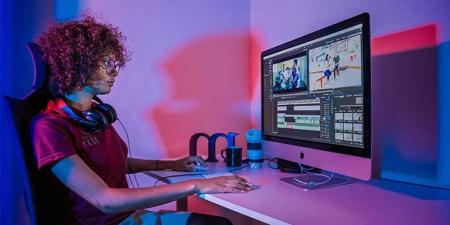
Hands-on Premiere Pro classes and Premiere Pro training using Mac or Windows computers with a live instructor in the same classroom.
Reviews of our Premiere Pro classes

Premiere Pro classes rating:
5 stars from 139 reviewers
"Alex was my instructor for the intro Premier Pro class and I was happy to see that he was teaching the advanced class too! He does a great job and is very knowledgeable.Looking forward to my next class!" - Steve G
See all reviews for Adobe Premiere Pro courses and classesAll Premiere Pro classes include
 Free retake
 Detailed curriculum
 Live instructor
 Flexible rescheduling
 Certificate of Completion
 Small class sizes
 Course recording
Premiere Pro classes led by
authors of the best-selling book:
Premiere Pro Digital Classroom
Premiere Pro CC Training
Premiere Pro classes provide training for Premiere Pro CC (Creative Cloud), covering the latest version. Courses are applicable for many versions including Premiere Pro CC 2018, Premiere Pro CC 2015, Premiere Pro CC, and Premiere Pro CS6.
Premiere Pro Training GSA
American Graphics Institute offers Adobe Premiere Pro Classes under GSA contract 47QTCA19D003Y. As a GSA contract holder, Premiere Pro training GSA pricing for federal agencies is available for both private and public Premiere Pro workshops. Contact an American Graphics Institute representative for additional information or to register.
Night and Weekend Premiere Pro Courses
In addition to our many weekday classes, American Graphics Institute also offers weekend and night Premiere Pro courses. These options are listed within the course schedules listed above, or contact AGI for upcoming night and weekend dates. You can start learning before your class with Premiere Pro tutorials.
Learning Adobe Premiere Pro
American Graphics Institute offers Adobe Premiere Pro training with live instructors. These professional development courses make it possible for individuals and groups to learn Adobe Premiere Pro quickly and easily. Benefit by participating in live Adobe Premiere Pro classes led by instructors with extensive experience using and teaching Adobe Premiere Pro, all without needing to travel to a classroom. These regularly scheduled professional development Adobe Premiere Pro courses are live, and occur in real-time. These small-group sessions make Adobe Premiere Pro classes accessible to those located anywhere. Enrollment for these regularly scheduled public classes is available under the class dates section. Learn Adobe Premiere Pro with a live instructor through classes and training from American Graphics Institute.
Private Adobe Premiere Pro training
Groups, such as companies, organizations, and departments that need live, in-person Adobe Premiere Pro training can have a live instructor come on-site to their company to deliver an in-person course. AGI can deliver a Adobe Premiere Pro workshop that is customized to your specific needs, or the training can be delivered using standard curriculum. Scheduling for private Adobe Premiere Pro training can occur on specific dates that align to your schedule requirements, and the Adobe Premiere Pro class time can also be adjusted to accommodate your organization's needs. Private online Adobe Premiere Pro courses are also available, and can be tailored to specific requirements for scheduling and curriculum. Contact AGI to discuss options if you are interested in arranging private Adobe Premiere Pro training or call 800-851-9237.
Corporate and Onsite Adobe Premiere Pro Training
Improve the skills of your team with Adobe Premiere Pro training for your company or organization. Private Adobe Premiere Pro courses can be delivered through live online sessions, or can occur onsite at your location with an instructor that comes to your location. Employees do not need to travel, and a course can be tailored to the specific needs of your group. Use the contact form, call us at 800-851-9237, or the chat option in the corner of this page to learn more.
Discounted training vouchers are also available for employees to enroll in the regularly scheduled public Adobe Premiere Pro courses offered on specific dates either at AGI’s classrooms or through live online sessions.
About AGI's Adobe Premiere Pro Courses
For more than 25 years, American Graphics Institute has been providing Adobe Premiere Pro. AGI offers live courses at client sites as well as live online training accessible from anywhere. The expert instructors are highly skilled Adobe Premiere Pro professionals and are also experienced educators, helping others to learn new skills.
Choosing the right Adobe Premiere Pro Course
Although there are many options for learning Adobe Premiere Pro, there’s a reason that American Graphics Institute is considered the top provider of Adobe Premiere Pro courses nationally. This includes expert instructors with many years of practical Adobe Premiere Pro experience, as well as extensive experience in teaching Adobe Premiere Pro.
There are Adobe Premiere Pro courses of various durations, with shorter one-day and two-day programs, along with options for day and night courses. Longer-term bootcamp and certificate programs are also available for those wanting a more intensive, in-depth approach to learning new skills.
In most cases it’s best to start with a foundational, introductory Adobe Premiere Pro course. Even if you have previous experience, the introductory class serves as a cornerstone. From there, you can move on to learn more advanced Adobe Premiere Pro skills and concepts.
The delivery format for Adobe Premiere Pro Classes and Courses should also be considered as you decide which course to attend. Both in-person and online courses are led by a live instructor. AGI offers regularly scheduled live online courses. These allow you to see the instructor’s screen, ask questions, and share your screen if you need assistance. You can also retake the Adobe Premiere Pro course at no cost if you need additional practice or if you don't end up using your new skills right away. These Adobe Premiere Pro courses are offered at regularly scheduled dates. If you prefer in-person learning, you can request an instructor to come on-site to your business or organization, or you can travel to one of AGI’s in-person training centers.
If you need guidance, our expert training consultants can help you choose the best Adobe Premiere Pro for you, whether you are looking for a course or online. Call us at 800-851-9237, reach us on chat, or find all options to contact AGI.
In-Person Adobe Premiere Pro Classes
There are many options for in-person Adobe Premiere Pro courses. For those looking to provide training to the employees or corporations and organizations , AGI can have an instructor come on-site and deliver Adobe Premiere Pro training at your location. This can be more cost effective than having a group travel to a classroom. Training can be delivered in a conference room or meeting space, and laptop computers can be supplied if needed.
For individuals looking for in-person Adobe Premiere Pro training with a live instructor American Graphics Institute has many options, including regularly scheduled public courses available in several cities. An instructor can also come on-site to your location to deliver a Premiere Pro course.
Adobe Premiere Pro Classes Online
Online courses provide a convenient and high-quality option for learning Adobe Premiere Pro without needing to travel, allowing learning to occur at home or office.
Live online Adobe Premiere Pro courses from AGI are interactive, with a live instructor and small group sessions, making it possible to get your questions answered in real-time, share your screen and projects, and receive immediate feedback on your progress.
American Graphics Institute has set the standard for live online classes. With more than a decade of experience in offering live online Adobe Premiere Pro classes, AGI has developed the process, infrastructure, and methods for effective online learning that is engaging, interesting and effective. Learn through explanations, demonstrations, and class projects you complete as well as through the ability to ask questions during the live class.
AGI’s Adobe Premiere Pro courses are available for introductory through advanced topics. Those new to Adobe Premiere Pro can attend foundation-level courses which provide the essential skills along with an on-ramp for additional learning, with advanced courses available for those with existing skills and experience.
With courses for beginners who need to learn the fundamentals of Adobe Premiere Pro as well as advanced courses, bootcamps, and certificate programs, American Graphics Institute provides options for learners at all points in their careers. From those looking to start learning Adobe Premiere Pro, to experienced professionals, AGI is a trusted resource for professional development.
Adobe Premiere Pro Courses for All Ages and Skills
While most Adobe Premiere Pro professional development courses are for adults, there are some graphic design programs for high school students. These programs provide career exploration while learning the tools used by professional designers. These programs are primarily offered during the summer, with some available after school hours during the academic year.
About Adobe Premiere Pro Classes and Training from AGI
The regularly scheduled public Adobe Premiere Pro courses, workshops, and seminars provide hands-on learning from expert instructors. Small classes with practical exercises and projects help you to quickly learn Adobe Premiere Pro as it relates to your specific needs. Our instructors have extensive experience with the applications they teach and in leading classes. Instructors are reviewed after each course, and undergo continual professional development and testing. Our full-time instructors pass the rigorous Certified Technical Trainer exam, and Adobe Certified Expert exams. Our instructors have been hired by Adobe to write their certification exams, and have developed official Adobe training courseware.
Prerequisites for enrolling Adobe Premiere Pro courses
For the introductory Adobe Premiere Pro courses, no previous experience is required. For the intermediate and advanced Adobe Premiere Pro classes, the introductory course is required, or knowledge of all topics covered in the introductory Adobe Premiere Pro class. We recommend that you have a copy of apps or software for you to use for projects and exercises as part of the Adobe Premiere Pro courses. If attending the Adobe Premiere Pro class online, no-cost, limited-time versions of apps are generally available and can be used for the class.
Course materials for Adobe Premiere Pro classes
The instructors at American Graphics Institute have authored more than 50 books on digital design, including several Adobe Premiere Pro training books. Course participants receive a copy of one of our books or related course materials which are yours to keep following the class.
Adobe Premiere Pro Certification Training
A certificate of completion for the training is provided upon successful course completion.
Adobe Premiere Pro training available for all versions
Whether you are using the most recent Creative Cloud version of Adobe Premiere Pro, or earlier releases of the Creative Suite, we offer Adobe Premiere Pro training courses to help you learn the tools you use. Our regularly scheduled public Adobe Premiere Pro courses use the most recent versions of the applications, and we also have older versions available to use as well. If you wish to use an older version of Adobe Premiere Pro for your training, simply let us know and we'll work to accommodate your request. Our Adobe Premiere Pro instructors have more than a decade of experience working with and teaching Adobe Premiere Pro, and can address questions and deliver Adobe Premiere Pro training for all versions.
Adobe Premiere Pro Apps and Tools
There are many applications relating to Adobe Premiere Pro that are used day-to-day. A modern professional using Adobe Premiere Pro will also need to learn a number of related skills and tools. A good starting point for learning these related skills includes these courses:
Learn Adobe Premiere Pro for a New Career
Video industry professionals use motion graphics and video to share information, meaning, creative ideas, and emotion. Learning Adobe Premiere Pro, video production, and motion graphics teaches you the modern tools necessary for creating and enhancing video and animation. Projects created by video and motion graphics professionals range from in-store video displays, kiosks, advertisements and full-length videos delivered online, through television, cinema, and broadcast.
A motion graphics and video editing professional is capable of creating media that supports brands, creates an identity, conveys emotions, and informs.
To work on these projects, learning Adobe Premiere Pro is an essential foundational skill. Learning video editing and motion graphics, building a portfolio and gaining experience all help to build the experience required to secure a motion graphics or video editing job.
Why attend Adobe Premiere Pro Training
Learning Adobe Premiere Pro skills helps you to work more efficiently when producing design, marketing, and communication projects. Along with general design skills, learning Adobe Premiere Pro helps you stand out amongst others when being considered for projects and assignments. You can put your newly learned skills to work defining the aesthetics for visual projects through the effective use of color, shape, size, form, space, and typography.
Through Adobe Premiere Pro classes you become a digital storyteller through video and motion graphics. Learn planning, lighting, editing, and delivery techniques through courses and bootcamps.
Adobe Premiere Pro Related Certificate Programs
For those looking to build a set of skills that can be useful for a career, as well as creating a portfolio of completed projects, consider the Video Editing Certificate.
The in-depth certificate program provides you with intensive coursework, in-depth projects, portfolio development, and career counseling to help build a career with Adobe Premiere Pro skills. For a similarly comprehensive program without career guidance, consider the Video Editing Bootcamp.
Adobe Premiere Pro Careers and Job Outlook
Adobe Premiere Pro is used in video and creative roles across many different industries and in a variety of job functions. Broadcast news, post-production houses, creative service firms, digital agencies, and in-house marketing departments all hire professionals skilled with Adobe Premiere Pro. Learning Adobe Premiere Pro provides a foundational skill for working in many of the careers across these organizations.
Skills with Adobe Premiere Pro are easily transferable between roles. Those with strong Adobe Premiere Pro skills may start within one field, such as broadcast, and move into streaming or effects. All these are growing fields nationally, with job growth of 5% expected over the next decade according to both Massachusetts and national projections. With specialized skills and a growing need for Adobe Premiere Pro professionals, there are opportunities for a rewarding career.
Adobe Premiere Pro skills are used in video, broadcast, streaming, digital agencies, advertising, and marketing. They are essential for anyone wanting to work in these fields. Learning Adobe Premiere Pro is an important step in working in these roles.
Adobe Premiere Pro Jobs
Learning video editing can lead you to a career working in the field of video editing, video production, and motion graphics. The average salary for a video editor is $62,000 per year with roles existing at agencies, marketing firms, and video production shops.
What is Adobe Premiere Pro?
Premiere Pro is a software application for video editing from Adobe Systems. Premiere Pro is used to edit videos and commercials along with film, television, and streaming video. Premiere Pro also includes audio editing functionality to enhance audio tracks that accompany video. Premiere Pro is a comprehensive video editing software application used by professional video editors. It is available individually or as part of the Adobe Creative Cloud set of applications. Premiere Pro can be used in conjunction with After Effects for creating special effects and animations, as well as Photoshop. Premiere Pro is available for Mac OS as well as Windows computers. Read more details about what is Premiere Pro.
Does Premiere Pro Require a Subscription?
The current version of Premiere Pro is available as a subscription. In the Premiere Pro CC name, the CC represents “Creative Cloud” which is a subscription-based series of software applications from Adobe Systems. With the Creative Cloud version of Premiere Pro, subscribers have access to the current version and any updates. In order to use Premiere Pro CC, a subscription is required. Older versions of Premiere Pro, such as Premiere Pro CS, do not require a subscription.
What is Premiere Pro Used For?
Premiere Pro is used for a wide range of video editing functions that are part of producing professionally edited video. Premiere Pro is used for editing video, which includes combining separate video sequences, adding still images and graphics, as well as adding titles Video can also be altered using Premiere Pro by applying filters that can blur, enhance, or make a video more creative and artistic.
What Jobs and Careers Use Premiere Pro?
Jobs that use Premiere Pro include video editor, video producer, news editor, multimedia designer, and filmmaker. Careers using Premiere Pro involve those working in film, broadcast, marketing, and design. Creative firms and in-house departments at large organizations hire video professionals with Premiere Pro skills, or jobs are available at independent editing shops and studios.
What Computer is Best for Premiere Pro?
The best computer for Premiere Pro is one with a very fast processor, at least 16 GB of RAM memory, a large amount of fast storage - preferably an SSD, and a dedicated video processor. For laptop computers, a MacBook Pro, HP ZBook Fury, or Acer Nitro 5 are fully capable of running Premiere Pro for video editing. Desktop computers that can run Premiere Pro include Mac Pro, Mac Studio, Acer ConceptD, and Microsoft Surface Studio. Read more about the best computer for Premiere Pro.
Keep up to date with Premiere Pro news and information.
Recent Adobe Premiere Pro courses and classes Training News
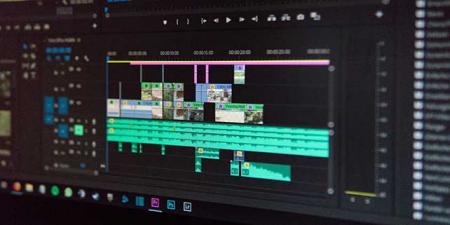
Quickly learn video editing with these Premiere Pro classes
Adobe Premiere Pro is a widely used video editing software developed by Adobe Systems. Premiere Pro is used for editing videos, commercials and other film, television, and online video. It also includes audio editing…

Adobe Premiere Pro is a software application for video editing from Adobe Systems. Premiere Pro is used for editing videos, commercials and other film, television, and online video. It also includes audio editing functionality. It is a comprehensive video editing software application and is…

As the editor and publisher of several books on Premiere Pro, and with responsibility in managing dozens of computers that have Premiere Pro installed, I am often asked: what is the best computer for Premiere Pro? Working with my expert colleagues at American Graphics Institute who…

Learning Premiere Pro is useful for any video or marketing professional needing to edit video footage on either a Mac or Windows computer. Because Adobe Premiere Pro is such a widely-used video editing application, learning Premiere makes a user more versatile and able to work on more…
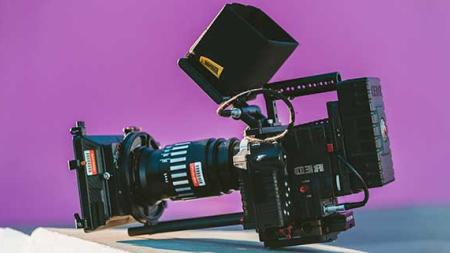
The video editing application Premiere Pro is popular with media companies and film producers. Premiere Pro classes make it easy to get started with this software application, even for those who are new to video editing. Premiere Pro training is…
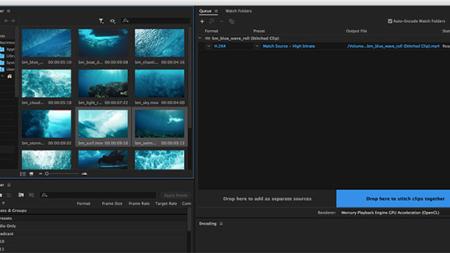
This Premiere Pro CC review and new features overview describes details of Adobe's professional video-editing app, how they function, and who they benefit. Many of the functions added in Premiere Pro CC 2017 were announced previously by Adobe, and are now becoming available. The Premiere Pro…
AGI's team of experienced instructors are also the best-selling authors of more than 20 books including Creative Cloud for Dummies, Creative Suite for Dummies, and many books published by Adobe Press, Microsoft Press, and other major publishers. Learn from experienced professionals with extensive professional and training experience, who are also practicing professionals. For Federal agencies, American Graphics Institute classes are offered under GSA contract 47QTCA19D003Y.