
Adobe training, UX Courses, and Photoshop Classes at AGI
American Graphics Institute
Secondary
  • Why AGI
  • About
  • Contact
  • Locations
  • All classes
  • Cart
  • Log in
Search
Search
Main menu
  • Classes & Workshops
    • Classes & Workshops
    • Column 1
      • Adobe Courses
      • Photoshop
      • InDesign
      • Illustrator
      • Premiere Pro
      • After Effects
      • Animate
      • Acrobat
      • Captivate
      • Creative Cloud
      • AI Classes
      • Copilot
      • Claude AI
      • Gemini
      • Animation
      • Motion Graphics
      • After Effects
      • Animate
      • Blender
      • Cinema 4D
      • Maya
      • Digital Marketing
      • Google Analytics
      • Google Tag Manager
      • HTML Email
      • Digital Marketing Certificate
      • Elearning
      • Captivate
      • Camtasia
    • Column 2
      • Figma
      • Figma Introduction
      • Advanced Figma
      • Figma Design Systems
      • Figma Bootcamp
      • Graphic Design Courses
      • Graphic Design Course
      • AI Graphic Design Course
      • Graphic Design Certificate
      • Graphic Design for High School Students
      • Canva
      • Data Visualization
      • Office Skills
      • Excel
      • Power BI
      • PowerPoint
      • Keynote
      • Access
      • Teams
      • Google Docs
      • Presentation Design
      • PowerPoint Design
      • Keynote Presentation Design
    • Column 3
      • UX Courses
      • UX Design
      • UX Research
      • Information Architecture
      • Rapid Prototyping
      • UX for Mobile & Touch
      • Figma
      • UX Certification
      • UX Design Certificate
      • Design Thinking
      • Video Editing Courses
      • Video Production
      • Premiere Pro
      • After Effects
      • DaVinci Resolve
      • Final Cut
      • Video Editing for High School Students
      • Web Accessibility
      • Web Accessibility
      • Section 508
      • Accessibility for Designers
      • InDesign Accessibility
      • MS Office Accessibility
    • Column 4
      • Web Design
      • WordPress Classes
      • HTML
      • CSS
      • Responsive Web Design
      • Web Design Certificate
      • Web Graphics
      • Web Design for High School Students
      • Web Development
      • Agile
      • CSS
      • HTML
      • JavaScript
      • Python
      • WordPress
      • 3D Design
      • 3DS Max
      • After Effects
      • Blender
      • Cinema 4D
      • Maya
      • Motion Graphics
      • Sketchup
      • See All Classes
  • Online Training
    • Online Training
    • Column 1
      • Adobe Classes
      • Photoshop
      • InDesign
      • Illustrator
      • Premiere Pro
      • After Effects
      • Animate
      • Acrobat
      • Captivate
      • XD
      • Creative Cloud
      • All Adobe
      • Digital Marketing
      • HTML Email
      • Google Analytics
      • Google Tag Manager
      • Digital Marketing Certificate
    • Column 2
      • Elearning
      • Captivate
      • Camtasia
      • Graphic Design
      • Graphic Design Course
      • Graphic Design Certificate
      • Design Thinking
      • Office Skills
      • PowerPoint
      • Keynote
      • Excel
      • Access
      • Google Docs
      • Presentation Design
      • PowerPoint Design
      • Keynote Presentation Design
    • Column 3
      • UX Courses
      • UX Design
      • Information Architecture
      • Rapid Prototyping
      • UX for Phone & Touch
      • Figma
      • UX Certification
      • UX Design Certificate
      • Video Editing
      • Premiere Pro
      • After Effects
      • DaVinci Resolve
      • Final Cut
      • Web Accessibility
      • Web Accessibility
      • Section 508
    • Column 4
      • Web Design
      • Web Design Certificate
      • WordPress
      • HTML
      • CSS
      • Responsive Web Design
      • Web Graphics
      • Web Development
      • JavaScript
      • HTML
      • CSS
      • Drupal
      • WordPress
      • CAD & 3D Design
      • Sketchup
      • 3DS
      • Maya
      • See All Classes
  • Certificate Programs
    • Certificate Programs
    • Column 1
      • Graphic Design Certificate
      • Video Editing Certificate
      • Digital Marketing Certificate
    • Column 2
      • UX Design Certificate
      • Web Design Certificate
      • Web Development Certificate
    • Column 3
      • Photoshop Certificate
      • All Certificate Programs
  • Adobe Training
    • Adobe Training
    • Column 1
      • Photoshop
      • InDesign
      • Illustrator
      • Animate
      • Acrobat
    • Column 2
      • Premiere Pro
      • After Effects
      • XD
      • Captivate
      • Connect
    • Column 3
      • Creative Cloud
      • Adobe Express
      • Dreamweaver
      • AEM Forms
      • InCopy
      • All Adobe Classes
      • See All Classes
  • Corporate Training

  • Why AGI
  • About
  • Contact
  • Locations
  • All classes
  • Cart
  • Log in
Breadcrumb
  1. Home
  2. Adobe Courses & Adobe Training
  3. Photoshop Classes
  4. Photoshop Classes Boston
  5. Photoshop Class For Web Design & Web Graphics Boston July 6, 2026

Learn more about classes in Boston

American Graphics InstituteAGI Training Boston
8 Cabot Rd
Woburn, MA
01801
US
(781) 376-6044
Graphic Design Courses, Web Design Classes, Adobe Training, Photoshop Classes, InDesign Courses, HTML Classes, UX Classes, Creative Cloud Classes, Illustrator Classes, and Apple Training in Boston.

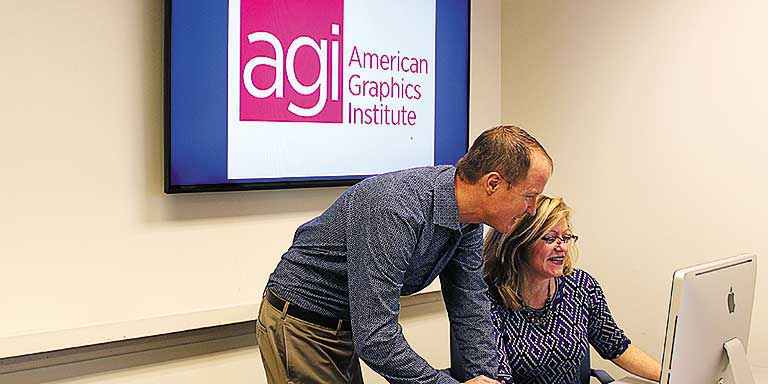
Instructor and student working at a computer at the American Graphics Institute Boston location in Woburn


View Larger Map

All Photoshop classes include

free retakes of courses Free retake

Curriculum provided Detailed curriculum

Live instructor Live instructor

flexible rescheduling Flexible rescheduling

flexible rescheduling Certificate of Completion

small class Small class sizes

course recording Course recording

Photoshop class for web design & web graphics Boston July 6, 2026

Photoshop class for web design & web graphics

Mon, Jul 06 2026
10:00 am to 5:00 pm
AGI Training Boston

$495.00

Register
See other dates for this Photoshop class for web design & web graphics Course

In this one-day Photoshop class for web design, discover how to quickly and easily create images for use on the web, social media, and HTML email. This Photoshop course covers image optimization and creating effective web graphics with impact. You can attend this Photoshop class as a stand-alone course or start with the introductory Photoshop course to gain a comprehensive set of image editing skills. This class is essential for all web designers.

Download Course Description (PDF)

Photoshop class for web, social media, and email: Course topics

Module 1: Overview of Photoshop for web, social media, and email

  • Understanding when to use Photoshop
  • Types of work where Photoshop is useful
  • Overview of Photoshop tools used for online images

Module 2: Image file size for online images

  • Photoshop resize wizard
  • Manually resize
  • Fit image
  • Building a resize action

Module 3: Online file formats for images used online

  • Understanding file formats used online: JPG, GIF, PNG

Module 4: The JPEG format

  • Saving a JPG
  • Using the matting feature for JPEG

Module 5: The GIF format

  • General information about GIFs
  • Exporting a GIF
  • Lossy
  • Color reduction algorithm
  • Dithering
  • Matting
  • Transparency
  • Interlaced
  • Web Snap
  • Modifying the color table
  • Locking colors in the color table
  • Saving Custom color tables

Module 6: The PNG Format

  • PNG-8 vs PNG-24
  • Transparency

Module 7: Photoshop production tips for web and online image use

  • Zooming
  • Guides & grids
  • Taking advantage of the Info panel
  • Using the transform features

Module 8: Color in web design and online images

  • Hexadecimal system
  • Color picker for HTML
  • Converting Pantone colors for web use
  • Using the Color panel for Hexadecimal colors
  • Using Color Picker
  • Using and creating custom swatches
  • Locking colors in the color table

Module 9: Using type with web and social media using Photoshop

  • Overview of text on the web
  • Anti-aliasing
  • Layer styles for type
  • Saving styles
  • Converting text to vector

Module 10: Understanding Photoshop selection tools for web design

  • Marquee tool
  • Selection tips and tricks
  • Feathering
  • Lasso
  • Polygon Lasso tool
  • Magic Wand
  • Magic Eraser
  • Using the Refine Edge feature

Module 11: Taking advantage of layers when creating images for online use

  • Aligning and distributing layers
  • Moving layers to other documents
  • Layer sets
  • Using Adjustment layers to change color
  • Building a background
  • Creating a pattern

Module 12: Layer masks for web and social media using Photoshop

  • Creating masks
  • Painting and editing masks

Module 13: Photoshop Actions for web and social media with Photoshop

  • Saving tasks
  • Building a droplet
  • Saving optimization settings
  • Creating droplets from settings

Module 14: Filters that improve your online images

  • Using Smart filters
  • Unsharp mask

Module 15: Slicing web graphics and online images using Adobe Photoshop

  • Using the Slice panel
  • Creating slices with guides
  • Creating slices with the Slice tool
  • Managing slices
  • Saving slice selections
  • Alt tags
  • Updating XHTML files
  • Exporting slices as CSS
  • Export options for CSS
  • Customizing code generated from Photoshop

Module 16: Creating special effects for web designs and online images

  • Layer styles
  • Using layer styles
  • Creating and saving custom layer styles

Module 17: Creating animations using Photoshop for web and social media

  • Frame-based animation
  • Timeline-based animation
  • Using layers in animations
  • Importing images as frames
  • Optimizing an animation
  • Animation frame shortcuts
  • Timeline-based animation

Module 18: Creating imagemaps using Photoshop

  • Tool-based imagemap
  • Layer-based imagemap


See all Photoshop classes, See all Web design classes, See all Photoshop for Beginners Classes, See all Graphic design and video editing courses
Register
See other dates for this Photoshop class for web design & web graphics Course

Why Photoshop classes at AGI are the best option for you

  • Hands-on learning: Learn Photoshop quickly with our proven teaching methods.
  • Exceptional curriculum: AGI has delivered Photoshop training to thousands over 25 years.
  • Expert instructors: Our instructors are Photoshop experts and skilled educators.
  • Small class sizes: Receive personalized attention with 10 or fewer participants per class.
  • Repeat for Free: If you need a refresher or miss a class day, retake the Photoshop class at no cost.
Footer
  • 781-376-6044
  • CONTACT US
  • SEE ALL AGI TRAINING LOCATIONS

© Copyright 2002 - 2026 American Graphics Institute

