
All Photoshop classes include
 Free retake
 Detailed curriculum
 Live instructor
 Flexible rescheduling
 Certificate of Completion
 Small class sizes
 Course recording
Reviews of our Photoshop Lightroom training class

Photoshop Lightroom training class - Introduction rating: 5 stars from 4 reviewers
"I can't think of a better way for learning Photoshop Light Room. I was able to get excellent suggestions and ideas for my work, I learned a lot, and the instructor was great." - Steve B
See all reviews for Photoshop classesThis Photoshop Lightroom class covers:
- Importing images from digital cameras
- Managing Photos using Lightroom
- Using Quick Collection to group images
- Using keywords and metadata to organize images
- Locating photos through search and filters
- Post-processing images
- Editing images
- Creating Slideshows using Photoshop Lightroom
- Publishing Images Online
- Printing Photos from Lightroom
Please call 800-851-9237 or 781-376-6044 to schedule a course.
This Photoshop Lightroom class covers the following topics:
Overview of Adobe Lightroom
- Understanding post-processing
- Getting to know the workspace
Importing images from digital cameras
- Getting ready to work
- Selecting a source
- Changing
- Opening your image files in Adobe Lightroom
- Understanding catalogs
Managing photos using Lightroom
- File organization
- Working with keywords and other metadata
- Using Quick Collection to group images
- Using keywords and metadata
- Locating photos through search and filters
Post-processing features
- Using Lightroom’s batch editing features
- Camera Raw
- Copying files as different file formats
- Picking and rejecting photos
Exporting and printing from Lightroom
- Creating Slideshows in Photoshop Lightroom
- Publishing Images Online
- Printing Photos from Lightroom
Photoshop course instructors
Learn Photoshop from expert instructors who authored Photoshop Digital Classroom, Photoshop Classroom in a Book, and Creative Cloud for Dummies. Benefit from skilled teachers with many years of using and teaching Photoshop who help you learn quickly and easily.

Grace
MS, Information Design
BA, Digital Communications
Adjunct Professor, St. Olaf
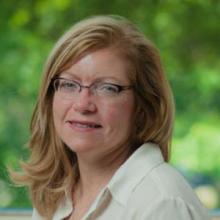
Jennifer S.
MS, Human Factors Information Design
BA, Commercial Art
UXQB Certfied
Adjunct Professor, Boston University

Greg
BA, Advertising Design
Adobe Certified Instructor
Author, multiple Adobe Creative Cloud books
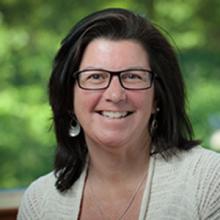
Patti
BA
BFA
Adjunct Professor
Custom and private Photoshop classes
This Photoshop course is available as a private class. Curriculum can be customized for your specific needs. Photoshop classes can be delivered at your location, online, or in our classrooms. For more information, call 781-376-6044 to speak with a training consultant or contact us.
We recommend that you have the Photoshop Lightroom application before starting this class. This class uses the most current version of Photoshop Lightroom (version 5), but it is applicable to earlier versions of Lightroom as well.
You will receive a comprehensive course manual for this class selected by the Adobe Certified Instructors at AGI. AGI instructors have created many of the official training guides and books for Adobe Systems.