
All Photoshop classes include
 Free retake
 Detailed curriculum
 Live instructor
 Flexible rescheduling
 Certificate of Completion
 Small class sizes
 Course recording
In this Photoshop class for photographers you will lerarn:
- To create an effective Photography workspace
- How to work with images in Photoshop
- Creating great selection masks in Photoshop
- Using the retouching tools
- Using color correction features
- Using adjustment layers
- The basics photographers need for using Photoshop layers
- Cropping and resizing techniques
Please call 800-851-9237 or 781-376-6044 to schedule a course.
Creating a Photoshop workspace for Photographer's needs
- Navigating the workspace
- Saving a custom workspace
- Fundamental tools photographers need to know
Understanding digital images in Photoshop
- Importing your images
- File formats
- File size and resolution
Cropping and resizing
- Composition tips and tricks
- Using resize tools and features
- Saving your files
Creating great selection masks in Photoshop
- Creating masks with selections
- Refining selections
Photoshop retouching for photographers
- Working with Photoshop brushes
- Adjusting brush settings
- Applying color to an image
- Changing blending modes
- Using the Clone Stamp tool
- Using the content-aware scaling and retouching tools
- Maximizing use for the healing tools for wrinkles, acne and other blemishes
- How to discreetly morph shapes
- Using vector and pixel adjustment layers to quickly change color
- Matching colors
Using the Photoshop color correction tools
- Understanding color
- Understanding neutrals
- Using the histogram
- Using curve controls
- Eliminating color casts and adjusting light
- Effectively using adjustment layers
- Color correction using Camera Raw
Using Photoshop's adjustment layers
- Changing colors of items
- Adding patterns and gradients
- Adjusting tone curves
- Creating the best grayscale conversion
- Burning and dodging your images
What a photographer needs to know about Photoshop Layer
- Creating custom compositions
- Merging images
- Using HDR
Photoshop course instructors
Learn Photoshop from expert instructors who authored Photoshop Digital Classroom, Photoshop Classroom in a Book, and Creative Cloud for Dummies. Benefit from skilled teachers with many years of using and teaching Photoshop who help you learn quickly and easily.

Grace
MS, Information Design
BA, Digital Communications
Adjunct Professor, St. Olaf
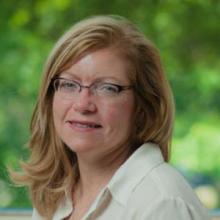
Jennifer S.
MS, Human Factors Information Design
BA, Commercial Art
UXQB Certfied
Adjunct Professor, Boston University
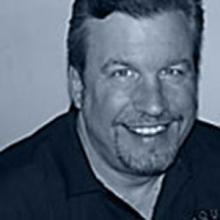
Greg
BA, Advertising Design
Adobe Certified Instructor
Author, multiple Adobe Creative Cloud books
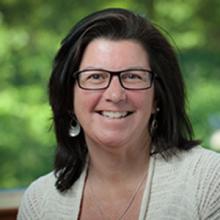
Patti
BA
BFA
Adjunct Professor
Custom and private Photoshop classes
This Photoshop course is available as a private class. Curriculum can be customized for your specific needs. Photoshop classes can be delivered at your location, online, or in our classrooms. For more information, call 781-376-6044 to speak with a training consultant or contact us.
We recommend that you have licensed Photoshop before starting this class. If you have the Creative Cloud Photoshop bundle, it includes the full version of Photoshop which is used in this course.
You will receive a comprehensive course manual for this class developed by the Adobe Certified Instructors at AGI. AGI instructors have created many of the official training guides and books for Adobe Systems.