

Adobe training, UX Courses, and Photoshop Classes at AGI
American Graphics Institute
Secondary
  • Why AGI
  • About
  • Contact
  • Locations
  • All classes
  • Cart
  • Log in
Search
Search
Main menu
  • Classes & Workshops
    • Classes & Workshops
    • Column 1
      • Adobe Courses
      • Photoshop
      • InDesign
      • Illustrator
      • Premiere Pro
      • After Effects
      • Animate
      • Acrobat
      • Captivate
      • Creative Cloud
      • AI Classes
      • Chat GPT
      • Copilot
      • Claude AI
      • Gemini
      • Animation
      • Motion Graphics
      • After Effects
      • Animate
      • Blender
      • Cinema 4D
      • Maya
      • Digital Marketing
      • Google Analytics
      • Google Tag Manager
      • HTML Email
      • Digital Marketing Certificate
      • Elearning
      • Captivate
      • Camtasia
    • Column 2
      • Figma
      • Figma Introduction
      • Advanced Figma
      • Figma Design Systems
      • Figma Bootcamp
      • Graphic Design Courses
      • Graphic Design Course
      • AI Graphic Design Course
      • Graphic Design Certificate
      • Graphic Design for High School Students
      • Canva
      • Data Visualization
      • Office Skills
      • Excel
      • Power BI
      • PowerPoint
      • Keynote
      • Access
      • Teams
      • Google Docs
      • Presentation Design
      • PowerPoint Design
      • Keynote Presentation Design
    • Column 3
      • UX Courses
      • UX Design
      • UX Research
      • Information Architecture
      • Rapid Prototyping
      • UX for Mobile & Touch
      • Figma
      • UX Certification
      • UX Design Certificate
      • Design Thinking
      • Video Editing Courses
      • Video Production
      • Premiere Pro
      • After Effects
      • DaVinci Resolve
      • Final Cut
      • Video Editing for High School Students
      • Web Accessibility
      • Web Accessibility
      • Section 508
      • Accessibility for Designers
      • InDesign Accessibility
      • MS Office Accessibility
    • Column 4
      • Web Design
      • WordPress Classes
      • HTML
      • CSS
      • Responsive Web Design
      • Web Design Certificate
      • Web Graphics
      • Web Design for High School Students
      • Web Development
      • Agile
      • CSS
      • HTML
      • JavaScript
      • Python
      • WordPress
      • 3D Design
      • 3DS Max
      • After Effects
      • Blender
      • Cinema 4D
      • Maya
      • Motion Graphics
      • Sketchup
      • See All Classes
  • Online Training
    • Online Training
    • Column 1
      • Adobe Classes
      • Photoshop
      • InDesign
      • Illustrator
      • Premiere Pro
      • After Effects
      • Animate
      • Acrobat
      • Captivate
      • XD
      • Creative Cloud
      • All Adobe
      • Digital Marketing
      • HTML Email
      • Google Analytics
      • Google Tag Manager
      • Digital Marketing Certificate
    • Column 2
      • Elearning
      • Captivate
      • Camtasia
      • Graphic Design
      • Graphic Design Course
      • Graphic Design Certificate
      • Design Thinking
      • Office Skills
      • PowerPoint
      • Keynote
      • Excel
      • Access
      • Google Docs
      • Presentation Design
      • PowerPoint Design
      • Keynote Presentation Design
    • Column 3
      • UX Courses
      • UX Design
      • Information Architecture
      • Rapid Prototyping
      • UX for Phone & Touch
      • Figma
      • UX Certification
      • UX Design Certificate
      • Video Editing
      • Premiere Pro
      • After Effects
      • DaVinci Resolve
      • Final Cut
      • Web Accessibility
      • Web Accessibility
      • Section 508
    • Column 4
      • Web Design
      • Web Design Certificate
      • WordPress
      • HTML
      • CSS
      • Responsive Web Design
      • Web Graphics
      • Web Development
      • JavaScript
      • HTML
      • CSS
      • Drupal
      • WordPress
      • CAD & 3D Design
      • Sketchup
      • 3DS
      • Maya
      • See All Classes
  • Certificate Programs
    • Certificate Programs
    • Column 1
      • Graphic Design Certificate
      • Video Editing Certificate
      • Digital Marketing Certificate
    • Column 2
      • UX Design Certificate
      • Web Design Certificate
      • Web Development Certificate
    • Column 3
      • Photoshop Certificate
      • All Certificate Programs
  • Adobe Training
    • Adobe Training
    • Column 1
      • Photoshop
      • InDesign
      • Illustrator
      • Animate
      • Acrobat
    • Column 2
      • Premiere Pro
      • After Effects
      • XD
      • Captivate
      • Connect
    • Column 3
      • Creative Cloud
      • Adobe Express
      • Dreamweaver
      • AEM Forms
      • InCopy
      • All Adobe Classes
      • See All Classes
  • Corporate Training

  • Why AGI
  • About
  • Contact
  • Locations
  • All classes
  • Cart
  • Log in
Breadcrumb
  1. Home
  2. Adobe Courses & Adobe Training
  3. Adobe Premiere Pro Courses and Classes
  4. Adobe Premiere Pro CC 2015 Updates Coming Soon
Adobe Premiere Pro CC 2015 updates coming soon
Related Class
Adobe Premiere Pro CC 2015 updates coming soon
Adobe Premiere Pro courses and classes
Related Articles
Image
Premiere Pro classes in Rockford, IL

10 Best Premiere Pro Courses to take in 2025

Image
Adobe Premiere Pro CC 2015 updates coming soon

What is Premiere Pro

Image
Video editing courses in Madison, WI

Best Computer for Premiere Pro 2024

Adobe Premiere Pro CC 2015 updates coming soon

  • Published on April 8, 2015
by Chris Smith
Image
Adobe Premiere Pro CC 2015 updates coming soon

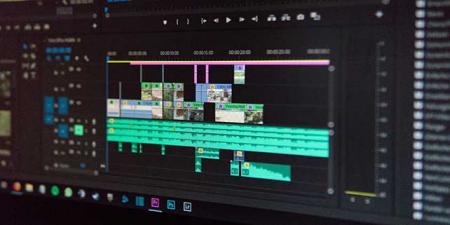
The video editing application Adobe Premiere Pro will receive a number of updates in the near future. The new capabilities will be made available to subscribers of the Adobe Creative Cloud, and is part of a series of updates Adobe has announced this week for their line of video and audio editing tools

Premiere Pro CC 2015 Updates

The updates will include a new color workspace, including the Lumetri Color Panel. This allows editors to change both color and light as part of their editing work, all within Premiere Pro. The new color editing technology uses SpeedGrade technology as the foundation, and editors work with controls inspired by Adobe Photoshop Lightroom. Color can also be corrected using curves, hue, and saturation refinements in addition to the Lumetri color corrector. Additional color editing remains available by exporting projects into SpeedGrade. Learning to use these sophisticated editing controls is part of the advanced Premiere Pro training courses available at AGI.

Additionally, Adobe has added a capability known as Morph Cut to make editing interviews more seamless. Using face tracking, Adobe claims this will create smoother transitions between cuts.

Other improvements Adobe claims they will be adding include making CC Libraries a part of Premiere Pro in an effort to make it easier to share graphics from other Adobe applications, such as Photoshop, and they plan to make it easier to switch between various workspaces. Premiere Pro support for accessible video is also improving, as Adobe indicates that they will make Closed Captions able to be burned into video when it is exported.

The next version of Premiere Pro is also attempting to make it easier to import video captured on mobile phones. Adobe has indicated they will be supporting an import process that simplifies bringing videos from Adobe’s recently released mobile video editing application, Premiere Clip, into a Premiere Pro project. This shows the growth of mobile phones for capturing video that can then be edited using professional grade editing tools, such as Adobe Premiere.

Premiere Pro on Windows 8 and Windows 10

Windows 8, and soon Windows 10, devices often incorporate touchscreens, which Premiere Pro will soon be able to use. Adobe is taking advantage of the availability of these full function desktops computers and laptops that also support touch by enhancing their apps to support touch input. Premiere Pro will soon enable users to move clips in the timeline and scrub the play-head using touch-screens on Windows 8 and Windows 10.

About the author

Christopher Smith is president of American Graphics Institute. He is the co-author of Adobe Creative Cloud for Dummies and more than 10 other books on design and digital publishing. He served as publisher and editor of the Digital Classroom book series, which has sold more than one million books on topics relating to InDesign, Photoshop, Illustrator, After Effects, Premiere Pro and other Creative Cloud apps. At American Graphics Institute, he provides strategic technology consulting to marketing professionals, publishers designers, and large technology companies including Google, Apple, Microsoft, and HP. An expert on web analytics and digital marketing, he also delivers Google Analytics classes along with workshops on digital marketing topics. Christopher did his undergraduate studies the at the University of Minnesota, and then worked for Quark, Inc. prior to joining American Graphics Institute where he has worked for more than 20 years.

Footer
  • 781-376-6044
  • CONTACT US
  • SEE ALL AGI TRAINING LOCATIONS

© Copyright 2002 - 2026 American Graphics Institute