
All Maya classes include
 Free retake
 Detailed curriculum
 Live instructor
 Flexible rescheduling
 Certificate of Completion
 Small class sizes
 Course recording
Key topics learned in this Maya course
- Understand the Maya workspace
- How to create realistic hard surface models for feature and real time applications
- Rigging props and models
- Animation using cameras, props, and basic character rigs
- Create realistic materials
- Apply lighting
- Render projects
Maya Training Class - Introduction - Course Dates
All classes are led by a live instructor. Class times listed are Eastern time.
Introduction to Maya Class Topics
- Interface, workspace, preferences, and settings
- Navigate within Maya, including quick keys
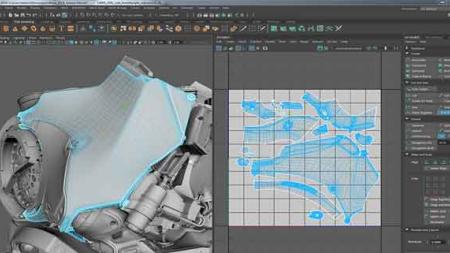
- Gain foundational skills with basic polygon editing tools
- Use Maya's editing modes to create and modify Polygon Models
- Learn Maya's Curve tools and Generating Surfaces
- Import curves from other applications for architecture renderings and logo animations
- Learn Maya workflow
- Understand Maya for modeling hard surface objects with angular edges and bevels
- Learn UV Unwrapping and texturing techniques for cubic and hard surface objects
- Gain an introduction to spherical and cylindrical hard surface modeling in Maya
- Use UV Unwrapping spherical and cylindrical objects for texturing
- Learn to create photo-realistic models in Maya
- Find out how to use Maya to create Surfaces, Latices, and Deformers
- Gain an introduction to Rigging in Maya
- Find out about using MEL, Joints, and Painting Skin Weights in Maya
- Learn to plan Animation sequences using X-Sheets
- Gain an introduction to Animation in Maya, the Graph Editor, and the Dope Sheet editor
- Essential Maya Animation tools
- Learn to use Maya for animating on a Path, Animating using Constraints, Animating using Rigs
- Discover Maya animation principles including: Appeal, Overlap, Anticipation, Exaggeration, and Staging
- Find out about essential Materials, Surfaces, Textures and the HyperShade Editor in Maya
- Learn to use Maya's Substance Materials and presets
- Bump vs Normal vs Displacement workflows in Autodesk Maya
- Learn to use Lighting, 1pt, 2pt, 3+pt, interior, exterior, and Image Based Lighting models
- Get an introduction to Arnold Render Engine
- Learn Rendering & Render Pipeline setup for Still Images and Animation based projects
- Find out how to create a render pipeline
- Learn to output from Maya to After Effects for editing
Maya course instructors
AGI instructors are Maya professionals and skilled teachers. You'll learn from a live Maya professional that brings years of experience that will help you learn Maya quickly and easily.

Sean
Art Institute of Philadelphia, Video Production
Author, Premiere Pro Digital Classroom
Author, After Effects Digital Classroom
Adobe Certified Instructor

Alex
BA, Film & Communications
Video producer
Animator

RJ
BA, Dual degrees
Certificate, Film making
Extensive professional experience

Drake
BFA
MFA
Professor, Keystone College
Custom and private Maya classes
This Maya course is available as a private class. Curriculum can be customized for your specific needs. Maya classes can be delivered at your location, online, or in our classrooms. For more information, call 781-376-6044 to speak with a training consultant or contact us.
If attending this Maya class online, you will need the Maya software app before starting this class. The fully functional free trial of the Maya app can be used for the class. You can download Maya here.
You will receive a comprehensive course manual for this class developed by the certified instructors at AGI that teach this course. AGI instructors have created many of the official training guides and books for applications vendors. This class is led by an Autodesk Maya Certified Instructor.