

All Microsoft Office classes include
 Free retake
 Detailed curriculum
 Live instructor
 Flexible rescheduling
 Certificate of Completion
 Small class sizes
 Course recording
Skills you learn in this Outlook course
- Email communication and inbox management
- Calendar scheduling and meeting coordination
- Contact management
- Task tracking and follow-up management
- Message organization and prioritization
- Searching and filtering Outlook content
- Using automation features to save time
- Managing reminders, categories, and flags
- Creating a more organized daily workflow in Outlook
- Working more efficiently with common Outlook tools and features
There are currently no evening classes scheduled for this course.
Please call 800-851-9237 or 781-376-6044 to schedule a course
Microsoft Outlook training course topics
Outlook Essentials: We make certain you understand the foundations of Outlook, including the ribbon, navigation pane, reading pane, and the Mail, Calendar, People, and Tasks modules. You'll also learn how to customize your view so Outlook works the way you do, not the other way around.
Working with Email: Email is where most people spend the bulk of their time in Outlook, and we make sure you know how to work efficiently with the email tools. You'll learn how to compose and send messages, reply and forward efficiently, use CC and BCC correctly, format your text, attach files, and set up a professional email signatures. You'll also learn how to use drafts and message options to communicate more clearly and intentionally.
Managing Your Inbox: A cluttered inbox isn't just frustrating — it means important messages get buried. This section shows you how to sort and filter messages, create folders, flag items for follow-up, apply categories, and use search effectively. You'll also learn how to set up rules and Quick Steps to handle repetitive tasks automatically, so you spend less time managing email and more time acting on it.
The Outlook Calendar: Learn to use scheduling options to create appointments and meetings, invite attendees, check availability before you send an invite, and manage recurring events. You'll also learn how to respond to meeting requests, update or cancel events gracefully, and view multiple calendars at once — all skills that reduce scheduling friction and help you stay on top of your time.
Working with Contacts: Find out how to create and organize contacts, build contact groups for teams or recurring audiences, and use your contacts directly when composing messages or scheduling meetings — so you spend less time looking people up and more time reaching them.
Tasks and Follow-Up: Make certain your action items don't fall through the cracks. Find out how to create tasks, set reminders, flag emails for follow-up, and use the task list to stay organized across everything on your plate.
Productivity Features and Efficiency Tips: Understand tools and techniques that improve your productivity. Learn to use search folders, manage notifications so they help rather than distract, clean up and archive old messages, and apply keyboard shortcuts that add up to real time savings over the course of a week.
Out-of-office and automatic replies: How to set up Automatic Replies correctly, including date ranges and separate messages for internal versus external senders
Focused Inbox and email triage: How to use Outlook's Focused Inbox and develop a practical approach to processing email so your inbox stays manageable
Shared mailboxes and delegate access: How to access a shared team inbox or manage someone else's calendar when your role requires it
Outlook and Microsoft Teams: How Outlook and Teams work together, including how meeting links are generated, how to launch Teams calls from Outlook, and how your calendar stays in sync
Professional email practices: Practical guidance on reply-all etiquette, writing clear subject lines, and using CC and BCC appropriately in a business context
Managing email overload: How to use Outlook's Sweep, Clean Up, and unsubscribe tools to reduce inbox volume and keep things under control
Microsoft Office course instructors
AGI instructors are Microsoft Office professionals and skilled teachers. You'll learn from a live Microsoft Office professional that brings years of experience that will help you learn Microsoft Office quickly and easily.

Grace
MS, Information Design
BA, Digital Communications
Adjunct Professor, St. Olaf

Shirley
MLA, Harvard
MS, Bentley
BS, Bentley
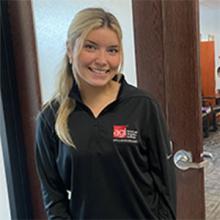
Elizabeth
BS, Finance
Teaching Assistant, Virginia Tech
Accounting & Finance Roles
Custom and private Microsoft Office classes
This Microsoft Office course is available as a private class. Curriculum can be customized for your specific needs. Microsoft Office classes can be delivered at your location, online, or in our classrooms. For more information, call 781-376-6044 to speak with a training consultant or contact us.
We recommend that you have Microsoft Outlook before starting this class so that you can practice techniques following the course.
Repeat for free
If you need a refresher or miss a day of class, you can repeat the Microsoft Office class at no additional cost for one year.
Microsoft Outlook FAQ
Do I receive a Outlook certificate?
AGI provides a certificate upon course completion, which can be shared on LinkedIn and verified digitally on the AGI website.
How many students are in a Microsoft Outlook class?
AGI limits its class sizes so that you receive personalized attention. Outlook classes are limited to no more than 10 participants.
Can I get specific Microsoft Outlook questions answered in the class?
Yes, as a live class, you can ask the instructor questions about how you will be using Microsoft Outlook.
Does this Microsoft Outlook class include job placement support?
AGI provides job support only when Microsoft Outlook classes are taken as part of a longer-term certificate program, where AGI has a dedicated career counselor assigned to each certificate student.
Is this Microsoft Outlook class for Mac or Windows?
You can attend this Microsoft Outlook class using a Mac or Windows computer. The application itself has nearly identical functionality for both platforms. If attending in our classrooms, a computer will be provided using the operating system of your choice. At the time of registration we ask which operating system you use so that we can best help you to learn Microsoft Outlook on your own computer.
What to take after this Microsoft Office course
After you have attended this course, you may find it useful to continue your learning and attend: Excel class - Introduction.