Adobe training, UX Courses, and Photoshop Classes at AGI
American Graphics Institute
Secondary
  • Why AGI
  • About
  • Contact
  • Locations
  • All classes
  • Cart
  • Log in
Search
Search
Main menu
  • Classes & Workshops
    • Classes & Workshops
    • Column 1
      • Adobe Courses
      • Photoshop
      • InDesign
      • Illustrator
      • Premiere Pro
      • After Effects
      • Animate
      • Acrobat
      • Captivate
      • Creative Cloud
      • AI Classes
      • Chat GPT
      • Copilot
      • Claude AI
      • Gemini
      • Animation
      • Motion Graphics
      • After Effects
      • Animate
      • Blender
      • Cinema 4D
      • Maya
      • Digital Marketing
      • Google Analytics
      • Google Tag Manager
      • HTML Email
      • Digital Marketing Certificate
      • Elearning
      • Captivate
      • Camtasia
    • Column 2
      • Figma
      • Figma Introduction
      • Advanced Figma
      • Figma Design Systems
      • Figma Bootcamp
      • Graphic Design Courses
      • Graphic Design Course
      • AI Graphic Design Course
      • Graphic Design Certificate
      • Graphic Design for High School Students
      • Canva
      • Data Visualization
      • Office Skills
      • Excel
      • Power BI
      • PowerPoint
      • Keynote
      • Access
      • Teams
      • Google Docs
      • Presentation Design
      • PowerPoint Design
      • Keynote Presentation Design
    • Column 3
      • UX Courses
      • UX Design
      • UX Research
      • Information Architecture
      • Rapid Prototyping
      • UX for Mobile & Touch
      • Figma
      • UX Certification
      • UX Design Certificate
      • Design Thinking
      • Video Editing Courses
      • Video Production
      • Premiere Pro
      • After Effects
      • DaVinci Resolve
      • Final Cut
      • Video Editing for High School Students
      • Web Accessibility
      • Web Accessibility
      • Section 508
      • Accessibility for Designers
      • InDesign Accessibility
      • MS Office Accessibility
    • Column 4
      • Web Design
      • WordPress Classes
      • HTML
      • CSS
      • Responsive Web Design
      • Web Design Certificate
      • Web Graphics
      • Web Design for High School Students
      • Web Development
      • Agile
      • CSS
      • HTML
      • JavaScript
      • Python
      • WordPress
      • 3D Design
      • 3DS Max
      • After Effects
      • Blender
      • Cinema 4D
      • Maya
      • Motion Graphics
      • Sketchup
      • See All Classes
  • Online Training
    • Online Training
    • Column 1
      • Adobe Classes
      • Photoshop
      • InDesign
      • Illustrator
      • Premiere Pro
      • After Effects
      • Animate
      • Acrobat
      • Captivate
      • XD
      • Creative Cloud
      • All Adobe
      • Digital Marketing
      • HTML Email
      • Google Analytics
      • Google Tag Manager
      • Digital Marketing Certificate
    • Column 2
      • Elearning
      • Captivate
      • Camtasia
      • Graphic Design
      • Graphic Design Course
      • Graphic Design Certificate
      • Design Thinking
      • Office Skills
      • PowerPoint
      • Keynote
      • Excel
      • Access
      • Google Docs
      • Presentation Design
      • PowerPoint Design
      • Keynote Presentation Design
    • Column 3
      • UX Courses
      • UX Design
      • Information Architecture
      • Rapid Prototyping
      • UX for Phone & Touch
      • Figma
      • UX Certification
      • UX Design Certificate
      • Video Editing
      • Premiere Pro
      • After Effects
      • DaVinci Resolve
      • Final Cut
      • Web Accessibility
      • Web Accessibility
      • Section 508
    • Column 4
      • Web Design
      • Web Design Certificate
      • WordPress
      • HTML
      • CSS
      • Responsive Web Design
      • Web Graphics
      • Web Development
      • JavaScript
      • HTML
      • CSS
      • Drupal
      • WordPress
      • CAD & 3D Design
      • Sketchup
      • 3DS
      • Maya
      • See All Classes
  • Certificate Programs
    • Certificate Programs
    • Column 1
      • Graphic Design Certificate
      • Video Editing Certificate
      • Digital Marketing Certificate
    • Column 2
      • UX Design Certificate
      • Web Design Certificate
      • Web Development Certificate
    • Column 3
      • Photoshop Certificate
      • All Certificate Programs
  • Adobe Training
    • Adobe Training
    • Column 1
      • Photoshop
      • InDesign
      • Illustrator
      • Animate
      • Acrobat
    • Column 2
      • Premiere Pro
      • After Effects
      • XD
      • Captivate
      • Connect
    • Column 3
      • Creative Cloud
      • Adobe Express
      • Dreamweaver
      • AEM Forms
      • InCopy
      • All Adobe Classes
      • See All Classes
  • Corporate Training

  • Why AGI
  • About
  • Contact
  • Locations
  • All classes
  • Cart
  • Log in
Breadcrumb
  1. Home
  2. Web Accessibility Training
  3. Web Accessibility Training Classes In Boston
  4. Microsoft Office Accessibility Course AGI Training Boston August 28, 2026
See how live online training works in this brief video.

See how live online training works in this brief video.

Learn more about classes in Boston

American Graphics InstituteAGI Training Boston
8 Cabot Rd
Woburn, MA
01801
US
(781) 376-6044
Graphic Design Courses, Web Design Classes, Adobe Training, Photoshop Classes, InDesign Courses, HTML Classes, UX Classes, Creative Cloud Classes, Illustrator Classes, and Apple Training in Boston.

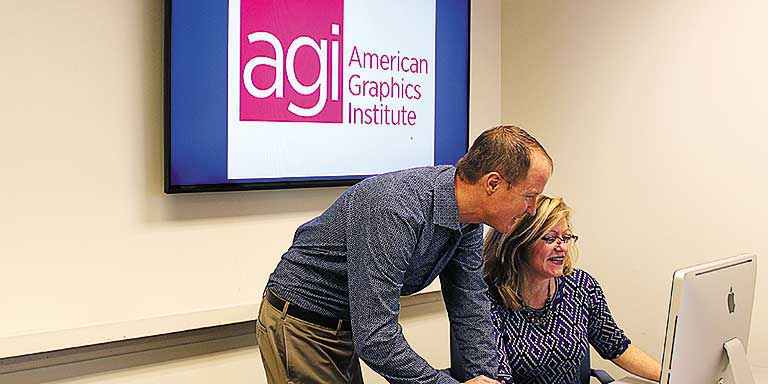
Instructor and student working at a computer at the American Graphics Institute Boston location in Woburn


View Larger Map

All Web Accessibility classes include

free retakes of courses Free retake

Curriculum provided Detailed curriculum

Live instructor Live instructor

flexible rescheduling Flexible rescheduling

flexible rescheduling Certificate of Completion

small class Small class sizes

course recording Course recording

Microsoft Office Accessibility Course AGI Training Boston August 28, 2026

Microsoft Office Accessibility Course

Fri, Aug 28 2026
10:00 am to 5:00 pm
AGI Training Boston

$495.00

Register
See other dates for this Microsoft Office Accessibility Course

This MS Office accessibility course provides hands-on training in creating, testing, and remediating accessible documents across Microsoft Word, Excel, and PowerPoint, with a focus on compliance with WCAG 2 guidelines and Section 508 standards. Learn to build accessibility into the document creation process—from properly structuring content and adding alternative text to exporting and verifying accessible PDFs in Adobe Acrobat. The course teaches practical workflows that allow you to meet accessibility standards across the MS Office tools.

Download Course Description (PDF)

Course Topics

Foundations of Document Accessibility

  • Principles of accessibility in professional communications
  • WCAG 2 overview and legal/compliance drivers
  • Key differences between Office file accessibility and PDF accessibility
  • Why accessible source documents are essential

Tools for Accessibility Across Office

  • Accessibility Checkers in Word, Excel, and PowerPoint
  • Automated vs. manual testing
  • Interpreting common accessibility errors and warnings
  • Introduction to Adobe Acrobat for verification and repair

Creating Accessible PowerPoint Presentations

  • Using Accessibility Assistant checker and manual review
  • Slide structure and reading order
    • Correct use of layouts and sections
    • Adjusting reading order with the Selection Pane
    • Managing global design with the Slide Master
  • Images and alternative text
    • Writing meaningful alt text for images and charts
    • Handling decorative images correctly
    • Managing complex images, SmartArt, and PDF conversion
  • Tables and lists in slides
    • Creating structured tables that remain accessible in PDF
    • Using lists for clarity and accessibility
  • Links, columns, and language settings
    • Descriptive hyperlinks
    • Managing multi-column layouts
    • Setting document language for assistive technology
  • Exporting PowerPoint to accessible PDF
    • Save As vs. Export vs. Acrobat PDF Maker
    • Preserving tags, reading order, and headings

Creating Accessible Word Documents

  • Accessibility Checker in Word
  • Headings and styles
    • Applying built-in heading styles
    • Ensuring logical hierarchy for navigation in Word and PDF
  • Images and alternative text
    • Writing alt text for inline and floating graphics
    • Handling decorative images
  • Tables and lists
    • Creating accessible tables with header rows
    • Avoiding merged or split cells
    • Using bulleted and numbered lists correctly
  • Links, columns, and language settings
    • Writing descriptive hyperlinks
    • Managing multi-column layouts
    • Defining document language
  • Exporting Word to accessible PDF
    • Best practices for retaining structure, tags, and alt text
    • Troubleshooting export errors

Creating Accessible Excel Workbooks

  • Accessibility Checker in Excel
  • Worksheet structure and navigation
    • Logical tab and sheet order
    • Naming worksheets clearly
    • Defining titles and headers
  • Tables and data presentation
    • Creating structured tables with header rows
    • Using named ranges for navigation
    • Avoiding blank rows, merged cells, and inaccessible layouts
  • Charts and alternative text
    • Writing alt text for charts and graphs
    • Adding descriptive labels for data visualizations
  • Links and language settings
    • Creating descriptive hyperlinks
    • Setting worksheet language for screen readers
  • Exporting Excel to accessible PDF
    • Preserving headers and tags
    • Adjusting print areas and scaling for accessibility
    • Testing output for accuracy

Cross-Application Best Practices & Verification

  • Consistency of accessibility practices across Office programs
  • Writing effective alt text across documents, slides, and spreadsheets
  • Ensuring headings, lists, and tables remain usable across applications
  • Troubleshooting export issues specific to each Office program
  • Verifying final PDFs in Acrobat Pro
    • Checking structure and reading order
    • Repairing tags and tables when needed
    • Hiding decorative content properly
  • Building a repeatable workflow for Office-to-PDF accessibility
See all Web Accessibility Training, See all Section 508 Compliance Training Classes, See all Microsoft Office classes
Register
See other dates for this Microsoft Office Accessibility Course

Why Web Accessibility classes at AGI are the best option for you

  • Hands-on learning: Learn Web Accessibility quickly with our proven teaching methods.
  • Exceptional curriculum: AGI has delivered Web Accessibility training to thousands over 25 years.
  • Expert instructors: Our instructors are Web Accessibility experts and skilled educators.
  • Small class sizes: Receive personalized attention with 10 or fewer participants per class.
  • Repeat for Free: If you need a refresher or miss a class day, retake the Web Accessibility class at no cost.
Footer
  • 781-376-6044
  • CONTACT US
  • SEE ALL AGI TRAINING LOCATIONS

© Copyright 2002 - 2026 American Graphics Institute