
Adobe training, UX Courses, and Photoshop Classes at AGI
American Graphics Institute
Secondary
  • Why AGI
  • About
  • Contact
  • Locations
  • All classes
  • Cart
  • Log in
Search
Search
Main menu
  • Classes & Workshops
    • Classes & Workshops
    • Column 1
      • Adobe Courses
      • Photoshop
      • InDesign
      • Illustrator
      • Premiere Pro
      • After Effects
      • Animate
      • Acrobat
      • Captivate
      • Creative Cloud
      • AI Classes
      • Copilot
      • Claude AI
      • Gemini
      • Animation
      • Motion Graphics
      • After Effects
      • Animate
      • Blender
      • Cinema 4D
      • Maya
      • Digital Marketing
      • Google Analytics
      • Google Tag Manager
      • HTML Email
      • Digital Marketing Certificate
      • Elearning
      • Captivate
      • Camtasia
    • Column 2
      • Figma
      • Figma Introduction
      • Advanced Figma
      • Figma Design Systems
      • Figma Bootcamp
      • Graphic Design Courses
      • Graphic Design Course
      • AI Graphic Design Course
      • Graphic Design Certificate
      • Graphic Design for High School Students
      • Canva
      • Data Visualization
      • Office Skills
      • Excel
      • Power BI
      • PowerPoint
      • Keynote
      • Access
      • Teams
      • Google Docs
      • Presentation Design
      • PowerPoint Design
      • Keynote Presentation Design
    • Column 3
      • UX Courses
      • UX Design
      • UX Research
      • Information Architecture
      • Rapid Prototyping
      • UX for Mobile & Touch
      • Figma
      • UX Certification
      • UX Design Certificate
      • Design Thinking
      • Video Editing Courses
      • Video Production
      • Premiere Pro
      • After Effects
      • DaVinci Resolve
      • Final Cut
      • Video Editing for High School Students
      • Web Accessibility
      • Web Accessibility
      • Section 508
      • Accessibility for Designers
      • InDesign Accessibility
      • MS Office Accessibility
    • Column 4
      • Web Design
      • WordPress Classes
      • HTML
      • CSS
      • Responsive Web Design
      • Web Design Certificate
      • Web Graphics
      • Web Design for High School Students
      • Web Development
      • Agile
      • CSS
      • HTML
      • JavaScript
      • Python
      • WordPress
      • 3D Design
      • 3DS Max
      • After Effects
      • Blender
      • Cinema 4D
      • Maya
      • Motion Graphics
      • Sketchup
      • See All Classes
  • Online Training
    • Online Training
    • Column 1
      • Adobe Classes
      • Photoshop
      • InDesign
      • Illustrator
      • Premiere Pro
      • After Effects
      • Animate
      • Acrobat
      • Captivate
      • XD
      • Creative Cloud
      • All Adobe
      • Digital Marketing
      • HTML Email
      • Google Analytics
      • Google Tag Manager
      • Digital Marketing Certificate
    • Column 2
      • Elearning
      • Captivate
      • Camtasia
      • Graphic Design
      • Graphic Design Course
      • Graphic Design Certificate
      • Design Thinking
      • Office Skills
      • PowerPoint
      • Keynote
      • Excel
      • Access
      • Google Docs
      • Presentation Design
      • PowerPoint Design
      • Keynote Presentation Design
    • Column 3
      • UX Courses
      • UX Design
      • Information Architecture
      • Rapid Prototyping
      • UX for Phone & Touch
      • Figma
      • UX Certification
      • UX Design Certificate
      • Video Editing
      • Premiere Pro
      • After Effects
      • DaVinci Resolve
      • Final Cut
      • Web Accessibility
      • Web Accessibility
      • Section 508
    • Column 4
      • Web Design
      • Web Design Certificate
      • WordPress
      • HTML
      • CSS
      • Responsive Web Design
      • Web Graphics
      • Web Development
      • JavaScript
      • HTML
      • CSS
      • Drupal
      • WordPress
      • CAD & 3D Design
      • Sketchup
      • 3DS
      • Maya
      • See All Classes
  • Certificate Programs
    • Certificate Programs
    • Column 1
      • Graphic Design Certificate
      • Video Editing Certificate
      • Digital Marketing Certificate
    • Column 2
      • UX Design Certificate
      • Web Design Certificate
      • Web Development Certificate
    • Column 3
      • Photoshop Certificate
      • All Certificate Programs
  • Adobe Training
    • Adobe Training
    • Column 1
      • Photoshop
      • InDesign
      • Illustrator
      • Animate
      • Acrobat
    • Column 2
      • Premiere Pro
      • After Effects
      • XD
      • Captivate
      • Connect
    • Column 3
      • Creative Cloud
      • Adobe Express
      • Dreamweaver
      • AEM Forms
      • InCopy
      • All Adobe Classes
      • See All Classes
  • Corporate Training

  • Why AGI
  • About
  • Contact
  • Locations
  • All classes
  • Cart
  • Log in
Breadcrumb
  1. Home
  2. Web Design Classes
  3. Web Design Classes Boston
  4. CSS Training Course For Web Design Advanced Boston December 28, 2026

Learn more about classes in Boston

American Graphics InstituteAGI Training Boston
8 Cabot Rd
Woburn, MA
01801
US
(781) 376-6044
Graphic Design Courses, Web Design Classes, Adobe Training, Photoshop Classes, InDesign Courses, HTML Classes, UX Classes, Creative Cloud Classes, Illustrator Classes, and Apple Training in Boston.

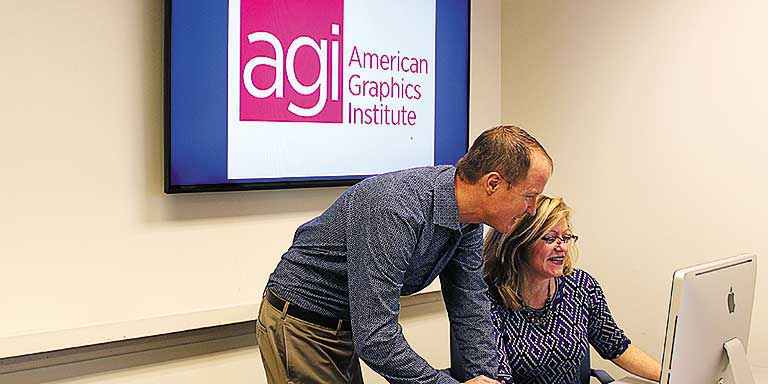
Instructor and student working at a computer at the American Graphics Institute Boston location in Woburn


View Larger Map

All Web design classes include

free retakes of courses Free retake

Curriculum provided Detailed curriculum

Live instructor Live instructor

flexible rescheduling Flexible rescheduling

flexible rescheduling Certificate of Completion

small class Small class sizes

course recording Course recording

CSS Training Course for Web Design - Advanced Boston December 28, 2026

CSS Training Course for Web Design - Advanced

Mon, Dec 28 2026
10:00 am to 5:00 pm
AGI Training Boston

$1.00

Register
See other dates for this CSS Training for Web Design - Advanced Course

This advanced CSS training course helps you to master Cascading Style Sheets for complete control of your web designs. Learn techniques for using Cascading Style Sheets to apply visual formatting to web pages. Designed for those with existing CSS experience and familiar with all CSS topics covered in the introductory course. This course provides the skills to add style to links, lists, nav bars, and more. Learn to apply styles to forms and data tables and to manage CSS for use across multiple pages in this advanced web design course.

Download Course Description (PDF)

CSS course - Advanced topics covered

The topics covered in this advanced CSS training course are separated into eight modules. These provide course participants with advanced CSS training, providing skills needed to apply advanced formats with CSS and CSS3. The topics covered include:

Lesson 1: Structuring CSS code

  • IDs and class names
  • Naming your elements
  • IDs or classes?
  • Divs and spans
  • Microformats
  • Different versions of HTML and CSS
  • Document types and browser modes
  • Validation

Lesson 2: Managing CSS styles

  • Common selectors
  • Pseudo-classes
  • The universal selector
  • Advanced selectors
  • Child and adjacent sibling selectors
  • Attribute selectors
  • The cascade and specificity
  • Specificity
  • Using specificity in your style sheets
  • Adding a class or an ID to the body tag
  • Inheritance
  • Planning and maintaining your styles
  • Applying styles to your document
  • Removing comments and optimizing
  • Style guides

Lesson 3: Visual formatting using CSS

  • Box model review
  • IE and the box model
  • Margin collapsing
  • Positioning review
  • The visual formatting model
  • Relative positioning
  • Absolute positioning
  • Fixed positioning
  • Floating
  • Line boxes and clearing

Lesson 4: Using CSS backgrounds

  • Background image basics
  • Rounded-corner boxes
  • Fixed-width rounded-corner boxes
  • Flexible rounded-corner box
  • Multiple background images
  • border-radius
  • border-image
  • Easy CSS drop shadows
  • Box-shadow
  • Opacity
  • CSS opacity
  • RGBa
  • PNG transparency

Lesson 5: Adding style to links

  • Simple link styling
  • Fun with underlines
  • Simple link embellishments
  • Fancy link underlines
  • Visited-link styles
  • Styling link targets
  • Highlighting different types of links
  • Highlighting downloadable documents
  • Creating links that look like buttons
  • Simple rollovers
  • Rollovers with images
  • Pixy-style rollovers
  • CSS sprites
  • Rollovers with CSS 3
  • Pure CSS tooltips

Lesson 6: Using CSS to style lists and nav bars

  • Basic list styling
  • Creating a basic vertical nav bar
  • Highlighting the current page in a nav
  • Creating a simple horizontal nav bar
  • Creating a graphical nav bar
  • Sliding door tabbed navigation
  • CSS image maps
  • Flickr-style image maps
  • Remote rollovers
  • Definition lists

Lesson 7: Styling forms and tables with CSS

  • Styling data tables
  • Table-specific elements
  • Summary and caption
  • Data table markup
  • Styling the table
  • Adding the visual style
  • Simple form layout
  • Useful form elements
  • Form labels
  • Embellishments
  • Required fields
  • Accessible date input
  • Multicolumn checkboxes
  • Submit buttons
  • Form feedback

Lesson 8: Using CSS to create a page layout

  • Planning your layout
  • Setting the foundations
  • Centering a design using margins
  • Float-based layouts
  • Two-column floated layout
  • Three-column floated layout
  • Fixed-width, liquid, and elastic layout
  • Liquid layouts
  • Elastic layouts
  • Liquid and elastic images
  • Faux columns
  • Equal-height columns
  • CSS frameworks vs. CSS Systems

The course topics serve as an outline for the course. Instructors may adjust content based on the specific needs of each class, such as to answer your  Web design questions.

See all Web design classes, See all CSS training classes, See all Web Development Courses
Register
See other dates for this CSS Training for Web Design - Advanced Course

Why Web design classes at AGI are the best option for you

  • Hands-on learning: Learn Web design quickly with our proven teaching methods.
  • Exceptional curriculum: AGI has delivered Web design training to thousands over 25 years.
  • Expert instructors: Our instructors are Web design experts and skilled educators.
  • Small class sizes: Receive personalized attention with 10 or fewer participants per class.
  • Repeat for Free: If you need a refresher or miss a class day, retake the Web design class at no cost.
Footer
  • 781-376-6044
  • CONTACT US
  • SEE ALL AGI TRAINING LOCATIONS

© Copyright 2002 - 2026 American Graphics Institute

