

Photoshop Workshop: One-Day Seminar
Photoshop Workshop
This Photoshop workshop covers essential skills for working in Photoshop. It is led by a live instructor in the same classroom as you if taken at our locations, or a live instructor online if you prefer that format. For anyone who works more regularly with Photoshop, we suggest our more comprehensive foundational class: Introduction to Photoshop course.
This one-day workshop is also available as a private class for groups. Contact American Graphics Institute for details on private Photoshop courses.
What you’ll learn in this Photoshop workshop
- Mastering the Photoshop workspace and tools
- Exceptional masking and selection techniques
- Painting and retouching techniques
- Using layers and combining images
- Understanding how to color-correct your images
- Organizing and managing images using Bridge
Ways to attend this Photoshop Course
- Live Online classes from your office or home as a regularly scheduled small group class.
- Live, in-person regularly scheduled Photoshop classes in Boston or Philadelphia with a live instructor in the same classroom.
- Private training customized to your specific needs delivered in-person or online. Call 781-376-6044 or complete the Private Photoshop Training form for more information.
- Corporate Photoshop Training for your group or team.
Why Photoshop classes at AGI are the best option for you
- Hands-on learning: Learn Photoshop quickly with our proven teaching methods.
- Exceptional curriculum: AGI has delivered Photoshop training to thousands over 25 years.
- Expert instructors: Our instructors are Photoshop experts and skilled educators.
- Small class sizes: Receive personalized attention with ten or fewer participants per class.
- Repeat for Free: If you need a refresher or miss a class day, retake the class at no cost.
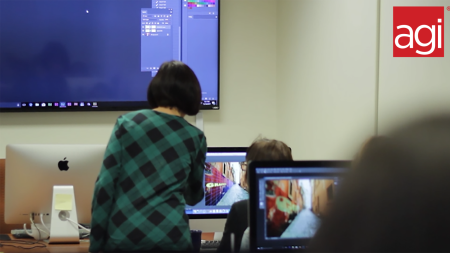
All Photoshop classes include
 Free retake
 Detailed curriculum
 Live instructor
 Flexible rescheduling
 Certificate of Completion
 Small class sizes
 Course recording
Photoshop 1-day workshop overview
This one-day Photoshop workshop provides you with the skills to use Photoshop for both online and print imagery successfully. Presented by instructors from the American Graphics Institute, and authors of more than ten books on Photoshop, this workshop is a great way to learn the Photoshop skills you need to create great-looking images that get your work noticed.
Photoshop 1-day workshop location
This workshop was held at American Graphics Institute locations in Boston or Philadelphia.
Other Workshops
This is part of our Creative Cloud Classes, including InDesign and Illustrator workshops.
Photoshop Workshop: One-Day Seminar - Course Dates
All classes are led by a live instructor. Class times listed are Eastern time.
One-Day Photoshop: Course Topics
Getting to know the Photoshop workspace
- Accessing tools and their options
- Organizing your workspace
- Navigating the image area
- Maximizing productivity with screen modes
Managing your Photoshop files in Adobe Bridge
- Introducing Adobe Bridge
- Creating and locating metadata
- Using the Filter panel
- Saving a Collection
- Automation tools in Adobe Bridge
- Additional Photoshop tools
- Changing the view
Photoshop CC basics
- Opening existing documents
- Understanding document settings
- Viewing and editing an image’s size and resolution
- Transforming and editing combined images
- Removing a background
- Understanding the stacking order of layers
- Refining edges of copied images
- Choosing a file format
- Saving for print and web use
Creating realistic selections in Photoshop for isolating editing
- Understanding the importance of selections
- Using the Marquee tools
- Working with the Magic Wand tool
- Selecting with the Lasso tool
- Adding to and subtracting from selections
- Saving selections
- Using the Quick Selection tool
- Fine-tuning selections with Refine Edge
- Using Quick Mask
- Selecting with the Pen tool
Painting and retouching with Photoshop
- Setting up your color settings
- Comparing RGB and CMYK modes
- Using the Color panel
- Changing Brush settings
- Applying color to an image
- Changing blending modes
- Retouching images
- Moving through the History panel
- Using the Clone Stamp and Healing tools
- Working with Camera Raw
Creating a high-quality image with Photoshop
- Choosing your color settings
- Working in RGB
- Reading a histogram
- Making a Curve adjustment
- Defining the highlight and shadow
- Adjusting the midtones
- Setting the neutral
- Sharpening your image
- Taking care of red eye
An introduction to Photoshop layers
- Discovering layers
- Selecting and naming layers
- Moving layers
- Changing the visibility of a layer
- Locking a layer
- Using masks in a layer
- Preserving transparency
Saving and exporting your images
- For print, online, and video
- For use in other applications such as After Effects, InDesign, Illustrator, Figma, and more
Photoshop course instructors
Learn Photoshop from expert instructors who authored Photoshop Digital Classroom, Photoshop Classroom in a Book, and Creative Cloud for Dummies. Benefit from skilled teachers with many years of using and teaching Photoshop who help you learn quickly and easily.

Grace
MS, Information Design
BA, Digital Communications
Adjunct Professor, St. Olaf

Jennifer S.
MS, Human Factors Information Design
BA, Commercial Art
UXQB Certfied
Adjunct Professor, Boston University
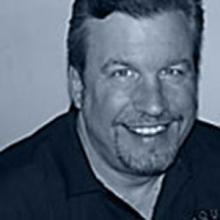
Greg
BA, Advertising Design
Adobe Certified Instructor
Author, multiple Adobe Creative Cloud books
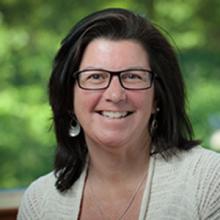
Patti
BA
BFA
Adjunct Professor
Custom and private Photoshop classes
This Photoshop course is available as a private class. Curriculum can be customized for your specific needs. Photoshop classes can be delivered at your location, online, or in our classrooms. For more information, call 781-376-6044 to speak with a training consultant or contact us.
Adobe Photoshop workshop prerequisites
This one-day Photoshop workshop requires that you have general computer skills but no previous Photoshop experience is required. Computers and Photoshop are provided for this course, you can select a Mac OS or Windows system at the time you register. If you do not yet have Photoshop on your own computer, you can obtain a free trial version of it at the Adobe website.
Adobe Photoshop workshop course materials
You will receive selected materials from the Adobe Photoshop Digital Classroom book, written by the presenters of this workshop.