

Excel dashboard course
Learn to create Excel dashboards
Learn to create Excel dashboards that summarize and visualize data in a way that is easy to understand. This course covers how to use Excel to build dashbaords for a variety of uses. Learn to combine PivotTables, slicers, charts, and conditional formatting with dynamic formulas and named ranges to build visual reports that update automatically. Gain practical skills for organizing data and designing dashboards to support informed decision-making.
What you learn in the Excel dashboard course
- How to structure and design professional Excel dashboards
- Ways to summarize and filter data using PivotTables and slicers
- Techniques for using dynamic formulas like XLOOKUP and SUMIFS
- How to create interactive charts that respond to user input
- Using conditional formatting to visually highlight KPIs
- How to automate dashboard updates using named ranges and structured references
- Best practices for layout, formatting, and data visualization
Ways to attend this Excel Course
- Live Online classes from your office or home as a regularly scheduled small group class.
- Live, in-person regularly scheduled Excel classes in Boston or Philadelphia with a live instructor in the same classroom.
- Private training customized to your specific needs delivered in-person or online. Call 781-376-6044 or complete the Private Excel Training form for more information.
- Corporate Excel Training for your group or team.
Why this Excel dashboard course at AGI is the best option for you
- Hands-on learning: Learn Excel dashboards quickly with our proven teaching methods.
- Exceptional curriculum: AGI has delivered Excel training to thousands over 25 years.
- Expert instructors: Our instructors are Excel dashboard experts and skilled educators.
- Small class sizes: Receive personalized attention with 10 or fewer participants per class.
- Repeat for Free: If you need a refresher or miss a class day, retake the Excel dashboards class at no cost.

All Excel classes include
 Free retake
 Detailed curriculum
 Live instructor
 Flexible rescheduling
 Certificate of Completion
 Small class sizes
 Course recording
Skills learned in the Excel dashboards course
- Designing and building Excel dashboards
- Creating and formatting PivotTables and PivotCharts
- Using slicers and timelines for interactivity
- Creating named ranges and structured data references
- Building dynamic formulas using SUMIFS, COUNTIFS, XLOOKUP
- Applying conditional formatting to highlight trends
- Integrating layout techniques for clarity and consistency
- Using Excel features to automate dashboard updates
Please call 800-851-9237 or 781-376-6044 to schedule a course.
Excel dashboard class topics covered
The Excel dashboard course covers the following topics:
- Introduction to Dashboards
- Understanding dashboard objectives
- Key design principles for dashboards
- Data Preparation
- Cleaning and structuring data
- Creating named ranges and tables for dynamic sources
- PivotTables for Dashboards
- Summarizing data by category, time, and region
- Refreshing and filtering data dynamically
- Visual Elements
- Inserting and customizing PivotCharts
- Using slicers and timelines for interactivity
- Applying conditional formatting for visual cues
- Building a Simple Dashboard
- Combining charts, PivotTables, slicers
- Dashboard layout and organization
- Tips for printing and sharing
- Dynamic Formulas
- Using INDEX, MATCH, XLOOKUP, IF, SUMIFS, and COUNTIFS for live calculations
- Incorporating helper tables for flexible logic
- Named Ranges & Structured References
- Creating ranges that grow as data expands
- Referencing named tables in formulas and charts
- Interactivity & Automation
- Using form controls including dropdowns and checkboxes for user-driven views
- Linking charts to formulas for real-time updates
- Advanced Layout & Formatting
- Aligning visuals, hiding gridlines, cell locking
- Custom number formatting
- Optional Add-Ons
- Goal Seek or Data Tables for “what-if” analysis
- Intro to VBA for dashboard automation (e.g., reset filters button)
- Project
- Build a full dashboard from a provided dataset
- Review of dashboards created in class
Excel course instructors
AGI instructors are Excel professionals and skilled teachers. You'll learn from a live Excel professional that brings years of experience that will help you learn Excel quickly and easily.

Grace
MS, Information Design
BA, Digital Communications
Adjunct Professor, St. Olaf

Shirley
MLA, Harvard
MS, Bentley
BS, Bentley
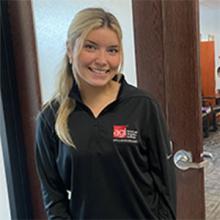
Elizabeth
BS, Finance
Teaching Assistant, Virginia Tech
Accounting & Finance Roles
Custom and private Excel classes
This Excel course is available as a private class. Curriculum can be customized for your specific needs. Excel classes can be delivered at your location, online, or in our classrooms. For more information, call 781-376-6044 to speak with a training consultant or contact us.
Excel Dashboards course prerequisites
This course requires knowledge of Excel equivalent to the topics in our introductory Excel Course, including knowledge of basic formulas and functions. A computer with Excel is provided for use during the course for in-person training, or use your own computer for live online courses.
You can attend this Excel class with a live instructor online or in-person. You can also schedule this as a corporate Excel training for your group or organization or as private Excel training.
Excel Dashboards Course materials
You will receive Excel course materials with this class.
Frequently Asked Questions for Excel dashboard course
Which Excel course covers Pivot tables and V LOOKUP?
You will learn Pivottables and VLOOKUP in the intermediate Excel course. These topics are covered in-depth with hands-on projects, and the ability to ask questions from a live instructor.