

All Teams classes include
 Free retake
 Detailed curriculum
 Live instructor
 Flexible rescheduling
 Certificate of Completion
 Small class sizes
 Course recording
- Navigate the Teams interface, including Activity, Chat, Calendar, Teams and Channels, Files, and Apps
- Join teams and understand how membership works, including invited access and shared team spaces
- Know when to use chat, a channel conversation, or a meeting—and feel confident making that call
- Start and manage chats, including group chats, and escalate to calls or meetings when needed
- Work in standard, private, and shared channels and understand the difference between them
- Create and reply to posts, use announcement-style messages, and work within current channel layouts
- Organize your Teams view by showing, hiding, and pinning channels, and use tabs to surface key resources
- Schedule, join, and participate in Teams meetings from both the desktop app and the web
- Use essential meeting tools: screen sharing, PowerPoint Live, reactions, hand raise, and meeting controls
- Upload, share, and co-author files in Teams, and understand how Teams connects to SharePoint and OneDrive
- Search effectively for files, people, and messages, and use the Activity feed to stay caught up
Microsoft Teams Training: Essentials Course - Course Dates
All classes are led by a live instructor. Class times listed are Eastern time.
Teams Training Essentials Course Topics
- Teams in your Work: What Teams is and how it fits in Microsoft 365; the Teams workspace overview; when to use chat, channels, meetings, or email
- Teams for Chat and Personal Communication: Using one-on-one and group chat; sharing files and links; escalating to calls; editing, muting, and organizing chats; quick vs. team-visible communication
- Teams, Channels, and Conversations: Teams vs. channels; standard, private, and shared channels; posts, replies, and threads; tabs and pinned resources; sending email to a channel
- Files in Teams: Personal vs. shared files; uploading and co-authoring; opening in Teams, browser, or desktop;
- SharePoint and OneDrive integration; sync basics; sharing and permissions
- Meetings and Calendar: Scheduling and joining meetings; audio/video setup; screen and window sharing;
- PowerPoint Live; reactions and controls; Meet Now and channel meetings
- Recording and transcription awareness: Recording meetings, accessing and sharing transcripts
- Search, Activity, and Staying Organized: Using the Activity feed to catch up; notification settings; searching for people, messages, files, and posts; building a manageable Teams routine
- Using Teams Well: Why Teams works better than disconnected tools; etiquette and best practices; choosing the right place for conversations and files; avoiding common mistakes
Teams course instructors
AGI instructors are Teams professionals and skilled teachers. You'll learn from a live Teams professional that brings years of experience that will help you learn Teams quickly and easily.

Grace
MS, Information Design
BA, Digital Communications
Adjunct Professor, St. Olaf

Shirley
MLA, Harvard
MS, Bentley
BS, Bentley
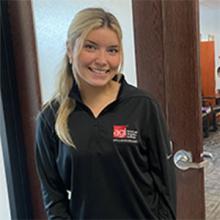
Elizabeth
BS, Finance
Teaching Assistant, Virginia Tech
Accounting & Finance Roles
Custom and private Teams classes
This Teams course is available as a private class. Curriculum can be customized for your specific needs. Teams classes can be delivered at your location, online, or in our classrooms. For more information, call 781-376-6044 to speak with a training consultant or contact us.
We recommend that you have a Microsoft Teams license before starting this class.
You will receive course materials for this class developed by the Certified Instructors at AGI. AGI instructors have created many of the official training guides and books for Microsoft.
What to take after this Teams course
After you have attended this course, you may find it useful to continue your learning and attend: Microsoft Teams Training: Advanced Course.