

Related Class



Best After Effects Courses for 2026
- Published on
Adobe After Effects is the leading tool for creating motion graphics and is used by professional animators, video editors, and visual effects artists. After Effects is used to create video, animations, and motion graphics for film, television, commercials, social media, and the web. After Effects is so widely used and important in the film industry it received a Scientific and Technical Award from the Academy of Motion Pictures. Because it’s so widely used, knowing After Effects can open doors in fields across the creative industry. According to the U.S. Bureau of Labor Statistics, special effects artists and animators earn a median annual salary of $99,000, and demand for these roles continues to grow. Whether you want to design cinematic title sequences, create animated infographics, or add Hollywood-style effects to videos, learning After Effects is useful. The primary uses of After Effects are divided into three categories: Animation, Effects, and compositing. Read more about After Effects and how it is used,
This guide reviews the best After Effects courses available in 2026, covering a mix of live instructor-led classes and online self-paced tutorials. The courses span beginner to advanced levels, so you can find a learning option that fits your experience and goals. We’ve included courses from American Graphics Institute (AGI), several prominent universities including Stanford, University of California at San Diego, and Emory University, as well as official tutorials from Adobe, providing an unbiased look at your top choices for learning After Effects. Each course listing includes key details like format, duration, and topics covered, along with insights into who will benefit most from it. At the end you can learn more about our selection criteria and evaluators.
Why Learn After Effects
Learning After Effects is valuable for anyone interested in video production, animation, or design. After Effects skills are in demand in roles such as motion graphics designer, video editor, VFX artist, animator, and more. These professionals use After Effects to create everything from animated titles and logo animations to green-screen composites and special effects in film. Even graphic designers increasingly use After Effects to bring static designs to life with motion.
The field of animation and special effects offers attractive salaries and is projected to grow in the coming years. Knowing After Effects gives you a competitive edge if you’re pursuing opportunities in multimedia production, marketing, web design, or freelance video editing. It allows you to create more engaging content , from social media videos to blockbuster movie sequences , which makes you more marketable.
Another reason to learn After Effects is its integration with other Adobe Creative Cloud tools, expanding your skills as an artist or designer. After Effects complements tools like Adobe Premiere Pro, which is used for video editing, as well as Illustrator and Photoshop. By learning After Effects, you’re better equipped to handle end-to-end multimedia projects and collaborate with other creative professionals. After Effects helps you to add a “wow factor” to videos and other projects you create, making your work stand out, and keep your audience engaged.
Summary of the Best After Effects Courses
| Course Title | Hours | Format |
|---|---|---|
| After Effects Bootcamp | 28 | Live online / In-person |
| Introductory After Effects Training Course | 14 | Live online / In-person |
| Advanced After Effects Training Course | 14 | Live online / In-person |
| Video Editing Certificate with After Effects | 91 | Live online / In-person |
| Creative Cloud for Video & Effects Course | 21 | Live online / In-person |
| After Effects Animation Course | 12 | Live online / In-person |
| Private After Effects Training | 15 | Live online / In-person |
| Introduction to Motion Graphics | 30 | Live online |
| After Effects Magic Course | 20 | Live online |
| After Effects Introduction | 18 | Live in-person |
| Adobe Official After Effects Tutorials | 4 | Self-paced |
| After Effects Video Series | 15 | Online, Self-paced |
Overview of Top After Effects Courses in 2026
After Effects Bootcamp: An immersive, fast-paced course that takes you from beginner to proficient in a single week, covering both motion graphics and visual effects. It’s ideal if you want a comprehensive skill jumpstart with hands-on projects and instructor support throughout. Live online or in-person; 28 hours.
Introduction to After Effects Training: A beginner-friendly, guided introduction that builds core After Effects confidence through structured exercises and live instruction. Best for learners who want to learn fundamentals the right way before moving into advanced workflows. Live online or in-person; 14 hours.
Advanced After Effects Training: A skill-building course for users who already know the basics and want professional workflows for tracking, keying, rotoscoping, expressions, and advanced compositing. Great for leveling up quality and efficiency in real production work. Live online or in-person; 14 hours.
Video Editing Certificate with After Effects: A multi-course certificate program combining Premiere Pro and After Effects from fundamentals through advanced work, with portfolio-focused projects. Best for career changers or professionals who want a structured path and a formal credential. Live online or in-person; 91 hours.
Creative Cloud Class for Video & Effects with After Effects: A practical combined course that teaches core Premiere Pro editing plus After Effects motion graphics so you can complete end-to-end video projects. Ideal for marketing teams, videographers, and creators who need both editing and animation skills in a short timeframe. Live online or in-person; 21 hours.
After Effects Animation Course: An advanced, animation-focused workshop that goes deeper into refined motion using the Graph Editor, expressions, puppet tools, shape layers, and 3D animation concepts. Best for motion designers who want smoother, more professional-looking animation and better control of timing and easing. Live online or in-person; 12 hours.
Private After Effects Training: Customized instruction tailored to your goals, your projects, and your team’s needs, with flexible scheduling and topic coverage. Best when you need targeted outcomes (specific workflows, project coaching, or team standardization) rather than a fixed curriculum. Live online or in-person; 4+ hours.
Adobe After Effects I: Introduction to Motion Graphics at UC San Diego: A university-length, structured introduction that builds fundamentals through weekly assignments and a final project designed to support portfolio development. Best for beginners who want a guided, academic pace instead of a short workshop. On-demand; 10 weeks.
After Effects Magic: Motion Graphics and Video Production at Stanford University: A university-run course focused on motion graphics storytelling, including infographic-style animation, masking, rotoscoping, and a production-oriented workflow. Ideal for learners who want structured instruction and practical deliverables using After Effects in real communication contexts. Live online; 30 hours.
Adobe After Effects Level 1: Introduction (Emory University Continuing Education): An intensive university workshop that moves quickly from fundamentals into practical effects like keying, masking, and 3D camera tracking. Best for learners who want a condensed, hands-on academic experience without a full semester timeline. Live in-person; 18 hours.
Adobe After Effects for Beginners: A free video series that teaches After Effects fundamentals in clear chapters you can follow along with at your own pace. Best for budget-minded beginners who want a thorough foundation before investing in live training. On-demand; 15 hours.
Official After Effects Tutorials: A large library of official mini-lessons and project walkthroughs organized by topic and skill level, ideal for learning specific techniques as needed. Best as a supplement alongside a course or for targeted problem-solving in the middle of a project. On-demand; 15 hours.
Below, we provide detailed information on each of these courses, including what you’ll learn and who will benefit most, so you can choose the best After Effects course for your needs. The courses have been separated into live courses, on-demand courses, and college courses.
Best Live After Effects Courses
Instructor-led courses are ideal if you learn best with structured guidance and real-time feedback. The following courses are taught by live instructors, either in-person in a classroom or live online via Zoom, Teams or similar platforms. All courses we reviewed offer interactive, hands-on training. These are useful if you want to ask questions, work on projects with instructor supervision, and stick to a set schedule while quickly building After Effects skills.
After Effects Bootcamp
The After Effects Bootcamp is a comprehensive course that takes you from zero to proficient in a week. We found this four-day class to be the most efficient way to learn After Effects from scratch to an intermediate to advanced level. It starts with the basics of the After Effects interface and core concepts, then quickly moves into more advanced techniques for motion graphics and visual effects. By the end, you’ll have touched on all the major features of After Effects – a great jumpstart for anyone serious about motion design or video post-production.
What you’ll learn in the After Effects Bootcamp:
- Foundations: Understanding video settings like frame rates and resolution, and navigating the After Effects workspace and panels.
- Core Skills: Managing media assets and layers, creating compositions, and using keyframes to animate elements including position, scale, and opacity.
- Text & Graphics: Adding and animating text and shape layers, and applying masks and alpha channels for compositing.
- Effects & Presets: Applying exciting built-in effects such as blur and color correction, and using presets to enhance your projects.
- 3D & Camera: An introduction to 3D layers and using After Effects’ 3D camera for motion tracking and match moving.
- Advanced Techniques: Using masks and mattes for compositing, motion tracking and stabilization of footage, and generating environmental effects like fog, smoke, or fire.
- Rendering: Exporting your final project in various formats, understanding render queue settings, and optimizing output.
Why choose this course: If you want an immersive learning experience and the ability to learn After Effects in a single week, the bootcamp is ideal. It’s intensive, but you’ll gain a huge range of skills in a short time. The class includes hands-on projects each day, and the small class size ensures you get personalized help. A certificate is provided upon completion, which can be a nice addition to your resume.
Student feedback: Students praise the Bootcamp for its engaging instructors and effective knowledge transfer: “The instructor was engaging and personable… checked for understanding frequently… Excellent all around. The days flew by.” – Matt , an After Effects Bootcamp graduate who attended this course.
Format: Live class, online or in-person.
Duration: 28 hours available as four days or eight evenings.
Level: Beginner to Intermediate, no prior After Effects experience required
Instructor: AGI Motion Graphics Faculty

Introductory After Effects Training Course
As the name suggests, this is a beginner-friendly introduction to Adobe After Effects. We consider this the best After Effects course for complete beginners who prefer a guided, hands-on approach. Over two days, you’ll learn the fundamental tools and techniques of After Effects, focusing on the essentials of motion graphics creation. The class is designed to be very interactive. Expect to work through exercises with help from the instructor, which helps solidify the concepts.
What you’ll learn in the introductory After Effects course:
- After Effects Basics: How to start a new project, navigate the interface, and use important panels (timeline, composition, etc.).
- Digital Video Principles: Understanding frame rates, resolutions, and composition settings for different outputs (HD, social media, etc.).
- Creating Compositions: Layering video, images, and graphics; organizing layers and adjusting layer properties.
- Basic Animation: Using keyframes to animate position, scale, rotation and opacity of layers; applying ease for smoother motion.
- Text and Titles: Adding text layers, animating text (introducing presets for text effects), and styling typography for video.
- Masks and Transparency: Using masks and alpha channels to cut out objects or create reveals, an essential compositing skill.
- Intro to Effects: Applying basic effects and transitions to layers (e.g., fades, color adjustments) and understanding effect controls.
- Rendering Output: How to export your animations or videos from After Effects to common formats (MP4, MOV, etc.) using the render queue.
Why choose this course: If you’re new to After Effects, this class provides a friendly ramp-up. It moves at a beginner’s pace and assumes no prior knowledge, making it less overwhelming than diving into a long online video course on your own. You get live support from an expert instructor who can answer questions and help if you get stuck. The small class size ensures personal attention, and the curriculum is fine-tuned so you cover a lot of ground in just two days. By the end, you’ll have created a few simple motion graphics pieces and be comfortable continuing to more advanced projects.
Student feedback: One student noted, “I’ve been using AE for over a year but still found this intro training helpful… The instructor was extremely knowledgeable… I would recommend this course to others!” – Jessica. This speaks to how even self-taught users can solidify and improve their skills with a structured intro course.
Format: Live class, online or in-person
Duration: 14 hours over two days or four evenings
Level: Beginner
Instructor: AGI Motion Graphics Faculty

Advanced After Effects Training Course
This class is geared towards users who already have fundamental knowledge of After Effects (for example, you’ve taken the Intro course or used After Effects for some time) and want to elevate their skills. It’s a useful course for motion graphics professionals looking to unlock more powerful features of After Effects and learn pro-level techniques and workflows. Over two days, the course delves into advanced tools and creative methods that can significantly improve the quality and efficiency of your work.
What you’ll learn in the Advanced After Effects Course:
- Advanced Effects: Techniques like chroma keying (green screen removal) using tools like Keylight, and depth effects.
- Motion Tracking & Stabilization: Using After Effects to track motion in footage such as matching moving graphics to camera movement, and stabilize shaky video. Understanding the difference between single-point, multi-point tracking, and 3D camera tracking.
- Time Remapping: Advanced time effects such as slow motion, fast motion, and freeze frames; how to retime footage dynamically.
- Color Correction & Grading: Applying color correction filters and adjusting color curves to blend elements seamlessly or create moods, plus using adjustment layers for grading.
- Cloning & Rotoscoping: Using the clone stamp tool to remove unwanted objects, and rotoscoping techniques to isolate elements in video, including an intro to the Roto Brush tool for faster rotoscoping.
- Expressions & Automation: An introduction to using expressions (a bit of coding) to automate and link animations, enabling more complex, flexible motion without manual keyframing.
- Workflow Enhancements: Tips and tricks to speed up your After Effects workflow – pre-composing strategies, organization, using the graph editor for fine-tuning motion, and best practices for project structure as projects grow in complexity.
- Efficient Rendering: Settings and techniques to optimize render times for complex compositions.
Why choose this course: If you already know the basics of After Effects but feel there’s more you could be doing, this course will unlock those higher-level skills. It’s taught by expert instructors who are both knowledgeable and engaging, making learning enjoyable. You’ll learn how to think about motion design at a professional level. By the end, you should be able to tackle complex animations like integrating 3D elements or executing tricky visual effects shots with confidence. It’s an excellent follow-up to the introductory course, or a standalone for self-taught users ready to level up.
Student feedback: “The instructor is obviously very knowledgeable… explains things easily, and always provides extra tidbits... super nice and very funny, which is always a plus.” – Kristal. Students appreciate the approachable teaching style that makes advanced topics easier to learn.
Format: Live class available online or in-person
Duration: 14 hours over two days or four evenings
Level: Intermediate to Advanced. Prior After Effects experience is required
Instructor: AGI Motion Graphics Faculty
Video Editing Certificate with After Effects
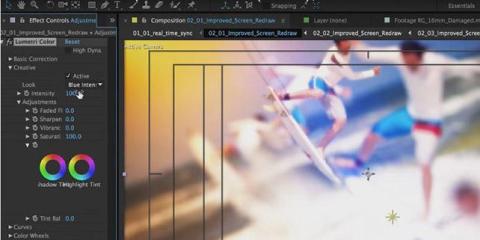
The Video Editing Certificate is an in-depth certificate program that spans several weeks, combining multiple courses into a cohesive learning path. It’s not just an After Effects course; it includes training in Adobe Premiere Pro, After Effects (from intro to advanced), and related video production skills. Think of it as a bootcamp spread out over a longer period, allowing for practice and portfolio-building. Participants start with fundamentals and progress to advanced techniques in both editing and motion graphics, ultimately creating finished video projects. This is ideal if you are looking to start a career in video editing/motion graphics and want a structured program with a recognized certificate.
What you’ll learn in the Video Editing Certificate with After Effects:
- Video Editing Foundations: How to edit video using Adobe Premiere Pro – cutting, sequencing, adding audio, transitions, etc., to tell a cohesive story. Premiere Pro training is included and covers the complete workflow from video editing through effects and motion graphics.
- Learn After Effects from A to Z: All content from the After Effects Intro and Advanced courses is covered, so you learn motion graphics and visual effects in depth – from basic compositing to advanced animations and particle effects.
- Integrating After Effects & Premiere: How to use After Effects and Premiere together efficiently using Dynamic Link workflows such as sending clips to After Effects for advanced effects and back to Premiere for final edit.
- Project Workflow: Managing larger projects, organizing files, and planning motion graphics or VFX work as part of an editing project.
- Advanced Motion Graphics: Creating animated infographics, titles, lower-thirds, and other graphics that often accompany edited videos.
- Portfolio Projects: Throughout the program, you’ll work on real-world projects. By the end, you will have created multiple pieces (like a short edited video with effects, a motion graphics clip, etc.) that form the start of a portfolio.
- Certification: As a private licensed school, AGI provides a widely recognized certificate upon completion.
Why choose this course: Choose the certificate program if you’re serious about a career in video or motion graphics and can commit the time. It’s effectively multiple courses bundled – you get a discount by doing the full program versus taking classes separately. The extended schedule means you have time to absorb and practice skills between sessions. Also, having a formal certificate can be useful for job applications, as it demonstrates structured training. Students often appreciate the portfolio development aspect – you finish with tangible projects to show employers or clients. It’s a bigger investment, but it yields a comprehensive skill set in both editing and After Effects.
Student feedback: Students share that the courses are detailed, they receive one-on-one coaching from instructors, and develop a portfolio of work. "Exceptional program with great support from career services that helped me land my job." - Anna L., certificate program graduate.
Format: Live classes (online or in-person)
Duration: 91 hours over multiple weeks with many After Effects and video courses
Level: Beginner to Intermediate
Instructor: AGI Motion Graphics Faculty
Creative Cloud class for Video & Effects with After Effects
This three-day class teaches two powerful Adobe tools that are used together in a single course: Adobe Premiere Pro for video editing and Adobe After Effects for motion graphics and effects. It’s designed for those who want a well-rounded introduction to the video production pipeline using Creative Cloud and have limited time to learn both. By covering both, you learn how to do basic editing in Premiere and then move into After Effects to create titles, apply effects, and perform simple animations. It’s a great option if you’re a videographer or marketing professional who needs both editing and motion graphics skills but have limited time to train.
What you learn in the Creative Cloud Class for Video & Effects:
- Premiere Pro Essentials: How to import footage, do basic cuts and transitions, manage a timeline, and export a finished video. Essentially, you’ll grasp the workflow of assembling a video in Premiere (so you have something to enhance in After Effects).
- Basic Editing & Media Management: Capturing or importing video clips, organizing them, and trimming them into a sequence. Plus, handling common tasks like adding music or voiceovers and basic color correction in Premiere.
- After Effects for Editors: Transitioning into After Effects, you learn to create animated titles and lower-thirds, apply filters and effects to clips (e.g., making a clip black-and-white, adding a blur or glow), and composite elements (like putting text behind an object via masking).
- Using Layers in AE: Introduction to layering graphics on video, adjusting their timing, and using pre-compositions for complex scenes.
- Masks and Keying: Basics of masking in After Effects to isolate parts of the frame, and using simple chroma key effects if needed for green-screen segments.
- Motion Tracking & Stabilization: A primer on tracking movement (for example, to make a title follow an object on screen) and stabilizing shaky footage using After Effects tools.
- Rendering & Workflow: Best practices for moving between Premiere and After Effects (Dynamic Link) and final rendering. Also, when to use each tool in a production workflow.
Why choose this course: If your goal is to produce videos that look professional from start to finish, this combined course is extremely practical. For example, a marketing professional creating YouTube ads might need to both edit video and add animated logos or text – this class covers both skill sets in one go. It’s also efficient for those who can’t take a full week off; in three days you touch upon two software. By the end, you’ll understand how Premiere and After Effects complement each other. It’s also a good test to see which area you enjoy more (editing vs. motion design) for future specialization.
Student feedback: Students highlight the instructor’s patience and the benefit of covering two subjects: “The instructor… was exceptionally patient with questions… great at explaining and helping people catch up….” – Dione B, who attended the Creative Cloud Video Course with After Effects. The blend of topics keeps the class engaging and ensures no one is left behind when learning both applications.
Format: Live class available online or in-person
Duration: 21 hours over three days or six evenings
Level: Beginner to Intermediate
Instructor: AGI Motion Graphics Faculty
After Effects Animation Course
This is a specialized course dedicated to animation techniques in After Effects. It’s intended for users who already know the basics of After Effects and now want to concentrate on honing their animation skills. Animation in After Effects can range from simple keyframe motions to complex character animations and kinetic typography. This class zeroes in on those skills, teaching you how to create more refined, smooth, and dynamic animations using the advanced features of After Effects. This course does have a prerequisite of having completed the introductory course or having skills with all topics covered in the introductory course.
What you learn in the After Effects Animation Course:
- Graph Editor Mastery: How to use the Graph Editor to fine-tune motion. You’ll learn about editing speed and value graphs to create custom easing, which results in more polished animations such as bouncing effects, realistic acceleration and deceleration.
- Expressions for Animation: Using expressions, which are JavaScript-based snippets in After Effects, to automate animation processes, link properties, or create reactive animations, for example, making an object wiggle automatically or syncing animation to music beats.
- Advanced Easing Techniques: Going beyond simple ease-in/ease-out to techniques like overshoot, anticipation, and follow-through for more life-like motion.
- Puppet Tools: Learning the Puppet Pin tool to animate organic movements (such as character limbs or a flag waving by deforming static artwork. Great for simple character animation.
- Shape Layer Animation: Working with shape layers to create vector-based animations. This includes manipulating shape path animations, strokes, fills, and using trim paths to animate strokes, which is useful for animated infographics, charts, or line drawings.
- 3D Layer Animation: An introduction to animating in 3D space – moving layers in X, Y, Z coordinates, and using cameras and lights creatively for parallax or depth in your animations.
- Motion Visuals Optimization: Tips on optimizing complex animations so they play back and render efficiently, as well as organizational techniques for long animation timelines. For example, using pre-comps and layer controls for a character rig.
Why choose this course: If you find yourself drawn to the animation side of After Effects, which is used for creating animated informational graphics, cartoon segments, dynamic logos, and other motion graphics, this course is a perfect next step once you understand the foundations. It goes beyond knowing how to keyframe, and into the art of making animations look professional. It teaches the powerful Graph Editor and expressions which improves the quality of your work and workflow. It’s taught by instructors experienced in animation, so you’ll get insider tips on how to make your animations more engaging. This is an advanced class. We recommend completing at least the introductory After Effects course, and even the advanced course or bootcamp, or having equivalent experience.
Student feedback: Students comment that the course is a useful next-step after completing foundational After Effects training. “Wow. Fantastic course. Learned so much more than I expected.” – Luis who completed the After Effects animation course.
Format: Live class online or in-person
Duration: 12 hours advanced workshop
Level: Advanced (animation-focused; prior AE experience required)
Instructor: AGI Motion Graphics Faculty
Private After Effects Training
Private After Effects training is a customized learning option where the content is fully tailored to you or your team. Instead of a set curriculum, instructors work with you to cover exactly the topics you need. This could mean focusing on a particular project you’re working on, or mixing and matching topics from various courses. It can be one-on-one coaching, or corporate training for your group to learn After Effects, scheduled at your convenience.
What you learn in private After Effects training:
- With a private course, you decide the learning objectives. For example, if your team needs to learn how to create a specific type of animation, the instructor can prepare a session on that. If you’re an individual who wants to fast-track through both basic and advanced topics, the training can be scoped accordingly.
- Project-based learning is available, where you bring a project you need to complete in After Effects, and you work on the project with the help of an instructor.
- The sessions can incorporate your own footage and content. For example, you could work on animating your logo, adding animation to a presentation, or creating effects within your video, making the training relevant to your work.
- Flexible format can be delivered as a one-day intensive or spread over multiple sessions, with the length of each session depending on what works best for you.
- Session can be delivered live online, or at one of AGI’s training centers, or on-site at your location.
- Corporate training is also available for an entire department at a company to learn After Effects together.
Why choose this option: Private training is the best choice if you have very specific goals or want to create a baseline level for an organization, giving everyone the same set of skills. Private After Effects training is a good choice if scheduled classes don’t align with your availability, or you only need to learn specific techniques rather than the entire curriculum. Corporate training is great for teams that are transitioning motion graphics in-house and need staff trained on After Effects, or want expert help with a specific project. Because every minute of the training is relevant to your work, it provides a good return on time and cost invested in the training. You get the undivided attention of the instructor, so the pace and focus are planned before the training to align to your needs. Many students find they can learn more in a day of private training than in a public course, because it’s targeted to their work.
Format: Live class online or in-person
Duration: 4 hours and up, with a custom schedule you define
Level: Introductory through advanced, tailored to your needs
Instructor: AGI Motion Graphics Faculty
Best College and University After Effects Courses
While classes at places like American Graphics Institute offer vetted training from a licensed school, you can also attend After Effects courses at a College or University. We have identified three courses with exceptional curriculum, with some available in-person and others online.
Adobe After Effects I: Introduction to Motion Graphics
This college-level After Effects course from UC SD is a semester-length introduction to motion graphics using Adobe After Effects. This course is designed for beginners who want a guided course with weekly assignments and a final project, rather than a short workshop. The curriculum emphasizes core After Effects fundamentals including animation, compositing, and visual effects, while building toward a portfolio-ready motion graphic sequence.
This course is positioned as a practical on-ramp for aspiring motion designers, video editors, and content creators, with a clear emphasis on hands-on projects and building confidence using industry workflows. UCSD’s description highlights both foundational skills such as interface, workflow, and keyframes as well as intermediate topics like 3D layers, track mattes, and audio integration, making it a strong option for learners who want a comprehensive college course.
What you’ll learn in the After Effects I course:
- After Effects interface and workflow fundamentals including project setup and navigating the workspace.
- Motion graphics including timing, movement, and property animation.
- Text effects and animated typography for titles and motion design.
- Masks and track mattes for compositing and reveal effects.
- Working with 3D layers to add depth and dimensionality.
- Integrating audio with motion to improve timing and storytelling.
- Color correction, effects, and finishing techniques for polished output.
- Weekly assignments and a final motion graphics project designed to help you build a portfolio.
Format: Online course
Duration: 30 hours over 10 weeks
Level: Beginner course with no prerequisites
Instructor: University of California SD faculty
After Effects Magic: Motion Graphics and Video Production Course
This After Effects course from Stanford University’s IT Technology Training is focused on teaching best practices for motion graphics and video production using After Effects. This class teaches skills needed for building animated infographic sequences, working with masking, and rotoscoping to create professional-looking results. We included it within our list of best courses because it presents a university-run, instructor-led pathway that emphasizes visual storytelling and presentation-ready motion graphics, especially valuable for learners who want structured live instruction and a clear deliverable.
The course teaches core After Effects workflows, starting with importing assets and moves into layer management, animation, masking/transparency, pre-comps, effects, and rendering. It also teaches integration with Premiere Pro timelines. This Stanford University course also teaches rotoscoping and infographic sequence design, making it a strong option for learners whose goal is motion graphics for communications, presentations, and content production.
What you’ll learn in After Effects Magic course:
- Navigating the After Effects workspace and timeline fundamentals.
- Importing visual assets and media, plus practical layer management.
- Keyframing and animation basics for motion graphics, including shape and text animation.
- Masking and transparency workflows (including hide/reveal techniques) to enhance visual impact.
- Pre-composing layers for cleaner organization and more flexible effects workflows.
- Applying effects and special effects to build visual polish and character.
- Building an infographic sequence for visual storytelling (motion + text for presentations).
- Introductory rotoscoping and professional masking approaches to improve production value.
- Premiere Pro integration (importing from Premiere timelines and exporting back to Premiere).
- Rendering essentials for exporting final projects.
Format: Live online course;
Duration: 30 hours over 10 weeks
Level: Introductory (basic computer skills; After Effects installed)
Instructor: Stanford University faculty

After Effects Introduction Course
Adobe After Effects Level 1: Introduction is offered by Emory University as an intensive course, providing hands-on experience with After Effects fundamentals and motion graphics. The course moves quickly from basic composition setup and animation to intermediate visual effects like green screen keying, masking, and 3D camera tracking. The course focuses on real-world use of After Effects in post-production environments and is ideal for learners who want a condensed but immersive university course that builds a solid foundation without requiring a full semester commitment.
What you’ll learn in Adobe After Effects Level 1 course:
- Navigating the After Effects interface and understanding core tools.
- Importing footage and creating basic compositions with layered media.
- Adding effects, transitions, and keyframe-based animations to enhance motion graphics.
- Working with animated text, shapes, and custom visual elements for motion graphics.
- Using masks, mattes, and transparency to composite complex scenes.
- Applying green-screen keying and Roto Brush techniques for visual effects.
- Exploring color correction and basic 3D camera tracking workflows.
- Creating a final motion graphics piece that incorporates multiple effects and techniques.
This course bridges the gap between basic user familiarity and professional After Effects workflows, making it a strong academic-level workshop for learners seeking structured, instructor-led training in a university continuing-education setting.
Format: Live training course
Duration: 18 hours
Level: Beginner to Intermediate with no prerequisites
Instructor: Emory University Continuing Education Faculty
Best asynchronous free After Effects courses & tutorials
Adobe After Effects for Beginners
This beginner course is free and available on YouTube. It starts from square one and walks through the fundamentals of using After Effects. It’s similar to a full class recording and offered in chapters. You can follow along with your own After Effects software for practice. The series is very popular, with over 4 million views. Unlike the other options with live instructors, there isn’t a real-time option for getting help or having questions answered immediately. Yet if you are on a tight budget and have more time to learn, this is a good option.
What you’ll learn in the After Effects for Beginners course
- Intro & Setup: How to create a new project and composition, an overview of the interface including the project panel, timeline, and composition viewer, as well as setting up your workspace.
- Layer Basics: Importing video, images, and audio, creating solid layers, shape layers, and text layers. Understanding layer order and toggling visibility, solo, etc.
- Animation Basics: Keyframing properties like position, scale, rotation, and opacity; using easy ease for smoother motion. Early exercises include animating a simple text or shape onto the screen.
- Working with Keyframes in Detail: Covers motion blur, adjusting keyframe timing in the timeline, duplicating keyframes, and reversing animations using time-reverse keyframes.
- Masks and Shapes: Using mask tools to reveal or hide parts of a layer; drawing shape layers and animating their properties. This includes using the Pen tool for custom masks and shapes.
- Effects & Presets: Applying common effects such as Gaussian Blur, and Drop Shadow, and using animation presets from Adobe’s presets library to quickly add complex animations like text animation presets.
- Intermediate Topics: Pre-composing, nesting compositions, parenting layers to link their motions, and an introduction to using null objects for complex parenting setups.
Why choose this course: It’s free and easily accessible, as all you need is YouTube and a copy of After Effects. For self-learners on a budget who don’t need to learn quickly, this is a fantastic resource. While you don’t get immediate questions answered, you can pause or rewind as needed. Since it’s on YouTube, you also have the benefit of adjusting the playback speed, slowing down if needed or speeding up sections you know. While you won’t have formal support or a certificate, it is still a useful foundational learning tool. You can always start with this course and add to it with a more advanced course or certificate program once you finish.
Format: Self-paced video series
Duration: 15 hours total
Level: Beginner course with no prerequisites
Adobe Official After Effects Tutorials
Adobe provides an official collection of After Effects tutorials on the Adobe Creative Cloud Discover page. These include short how-to articles, videos, and example projects created by Adobe and industry experts. They are categorized by topic and skill level, so you can cherry-pick what you want to learn. This is not a single linear course, but rather a library of mini-tutorials and project walkthroughs. It’s a great supplemental resource to use alongside other courses, or to learn specific techniques.
What you learn in the After Effects tutorials
- Animation Basics: including “Animating your logo”, “Text animation fundamentals”, “Creating social media animations”. These mini-courses get beginners started with simple projects like animating a logo or text for a title, introducing keyframes and eases.
- Intermediate to advanced animation mini courses including: “Advanced kinetic typography”, “Animating infographics”, “Character animation basics”. These assume some knowledge and dive into using tools like the Graph Editor, or features like Puppet pins for character rigs.
- Learn Effects and Transitions: Tutorials on using specific effects including motion blur techniques, color grading in After Effects, using the Warp Stabilizer for stabilization as well as creating transitions and visual effect shots like removing objects, adding rain or snow via particle systems.
- Working with Layers: Guides on pre-composing, using adjustment layers, 3D layers and Cinema 4D Lite which comes with After Effects for basic 3D, rotoscoping subjects out of backgrounds, and more advanced compositing tasks.
- Project-Based Lessons: For example, “Create a cinematic movie title”, “Design an animated GIF”, and “Add 3D motion to a 2D image”. These tutorials walk you through a specific real-world project from start to finish.
Why learn from these recorded mini-courses: These are reliably accurate and allow you to learn in smaller chunks, with some of them no longer than a few minutes. Some can answer specific questions like “How do I stabilize footage?” or “How do I animate along a path?”. These area good supplement to a full course, and provide excellent targeted learning. After taking a course you can use these tutorials to reinforce specific topics.
Format: Self-paced video series
Duration: 15 hours total
Level: Beginner course with no prerequisites
Instructor: Various Adobe staff and professionals
How We Selected the Best After Effects Courses
With hundreds of After Effects courses and tutorials available, we used a rigorous process to curate our top picks for 2026. Our evaluation was conducted by a team of After Effects experts and instructors with decades of experience. The author and editor of this guide each have more than 15 years of experience in using, teaching, and working with After Effects. We have even written official books on After Effects training. Here’s an overview of our selection methodology for this guide:
Comprehensiveness: We researched courses across various providers and formats, including live classes, on-demand video courses, and free tutorials. We looked for courses that cover a broad range of essential After Effects skills, from basic animation to advanced visual effects. Each course had to offer substantial educational value for its intended skill level.
Instructor Quality: We evaluated the capabilities, experience, and reviews of instructors. We favored courses taught by expert instructors and industry professionals with strong track record in both using After Effects and teaching motion graphics . In cases where courses are offered at schools with multiple instructors, we evaluated the skills, background, and experience of the educational team. For example, the AGI Motion Graphics faculty include authors who have written official After Effects curriculum and motion graphics designers who have worked on award-winning movies, advertisements, and videos. We also considered student reviews of the instructors and available evaluations of the instructors.
Content Quality: Courses were vetted based on the quality of the curriculum. We reviewed syllabi and sampled course content to ensure it is up-to-date, reflecting the latest After Effects capabilities, and comprehensive covering skills necessary at the introductory or advanced levels, depending upon the course. We gave higher scores to courses that include project-base learning, with hands-on work to create projects as part of their course.
Student Feedback and Outcomes: We considered reviews and testimonials from real students. Positive feedback on factors like clarity of instruction, hands-on practice, and real-world applicability boosted a course’s ranking. For live classes, we also drew on our own experience delivering and attending these trainings to judge their effectiveness.
Course Format and Support: Different learners have different needs, so we included a mix of instructor-led courses for those who learn best with a live instructor, and self-paced courses for those who prefer flexibility with scheduling and want to learn at their own pace. We also noted which courses offer extras like project files, one-on-one mentoring, or certificates of completion.
By combining these criteria with our professional judgment as experienced After Effects instructors and users, we arrived at a list of courses we truly trust. Any of these After Effects courses will provide you with the knowledge and skills to start creating impressive motion graphics and visual effects.
Every After Effects course listed here has been thoroughly evaluated and vetted by our team of professionals who work in the field of effects, video, and animation. We research the courses, evaluate user reviews, speak with instructors and students, and use our own experience learning, reviewing curriculum, evaluating projects, and sitting through courses to determine the best options. All courses have been carefully chosen based on careful review of user feedback, discussion with instructors, the value, quality of content, and our experience to make certain it meets the needs of someone wanting to learn After Effects.
To determine the best After Effects courses, we evaluated many classes, including introductory, intermediate, and advanced classes that cover the needs of beginners through advanced learners. This list of best classes includes classes that we know, have attended, and have reviewed the curriculum and instructors. This list was created by our expert instructors, who are the authors of multiple After Effects books, providing you with expert insight into the best courses for you to learn After Effects. Our list of best After Effects courses provides information about each course, class, and tutorial, including the duration, format, and content. This list was originally assembled in 2023 and has been updated with new courses we evaluated in December 2025, including adding several entirely new courses that were added to our list of the best After Effects courses for 2026. This includes the best online After Effects courses, in-person After Effects classes with live instructors, as well as free After Effects course tutorials that help you to learn After Effects.
The Best After Effects Courses Help You Learn Quickly
Learning After Effects may seem challenging if you are just starting, but with the right course and learning resources, you can progress quickly and start creating impressive motion graphics. The best After Effects course for you depends on your learning style, budget, and goals. If you thrive in a live classroom environment and want structured guidance, an instructor-led course, like the Bootcamp or Intro class from AGI will provide you with personal feedback as you learn a comprehensive set of skills. If you prefer to learn at your own pace or have a limited budget, one of the high-quality online courses or free tutorials are excellent options.
It’s common for those learning After Effects to combine resources. For example, taking a live class to build a strong foundation and then using online tutorials for additional practice. Or starting with a recorded class so that you can get questions answered from a live instructor, followed by tutorials for targeted learning on specific techniques.
With dedication and the guidance of any of these top courses, you’ll be on your way to bringing your creative visions to life with After Effects.